OB7 Collaborative Robot User Manual Version 0.6
OB7 Control Functions / 66
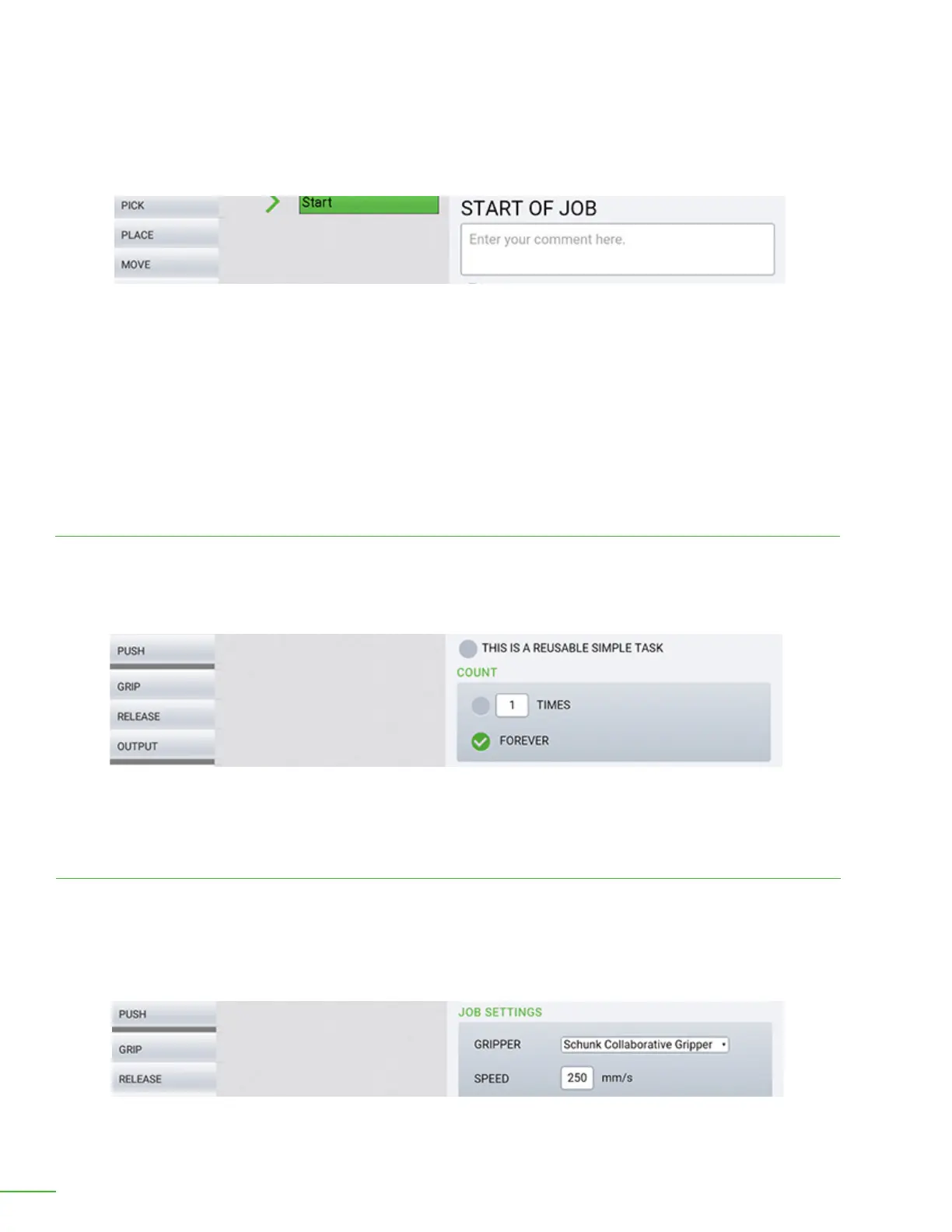
This is a reusable simple task: If this is only a portion of a larger job and you want OB7 to do this
task in other jobs, check this box. For example: If this job opens the door on your machine, you can
re-use it within every job that operates the machine. In this way, OB7 will automatically know how to
open the door to this machine next time it learns a new job on this machine. When you make a job a
"reusable simple task" it will become another command tile that is available when Learning jobs. The
next time OB7 learns a job for this machine, it can use this tile.
Enter descriptive comment.
Comment: Enter a descriptive comment in the comment box. This comment will be displayed in the
list of jobs to help you remember what the job does.
Set number of times: Enter a number to specify how many times you would like this job to repeat. If
you want this job to repeat indenitely, check the "forever" box instead of entering a number.
Count
Gripper: Select the gripper being used for this job. Normally, OB7 already knows which gripper is
installed and you don't need to change this.
Job Settings
Speed: Enter the speed at which to run this job. A password will be required in order to run this job at
any speed faster 250mm/sec.
Specify how many times you would like the job to repeat or check “Forever”.
Select the type of gripper and enter the speed.



 To Next Page