OB7 Collaborative Robot User Manual Version 0.6
OB7 Control Functions / 74
All of these override functions require a gripper with these control capabilities.
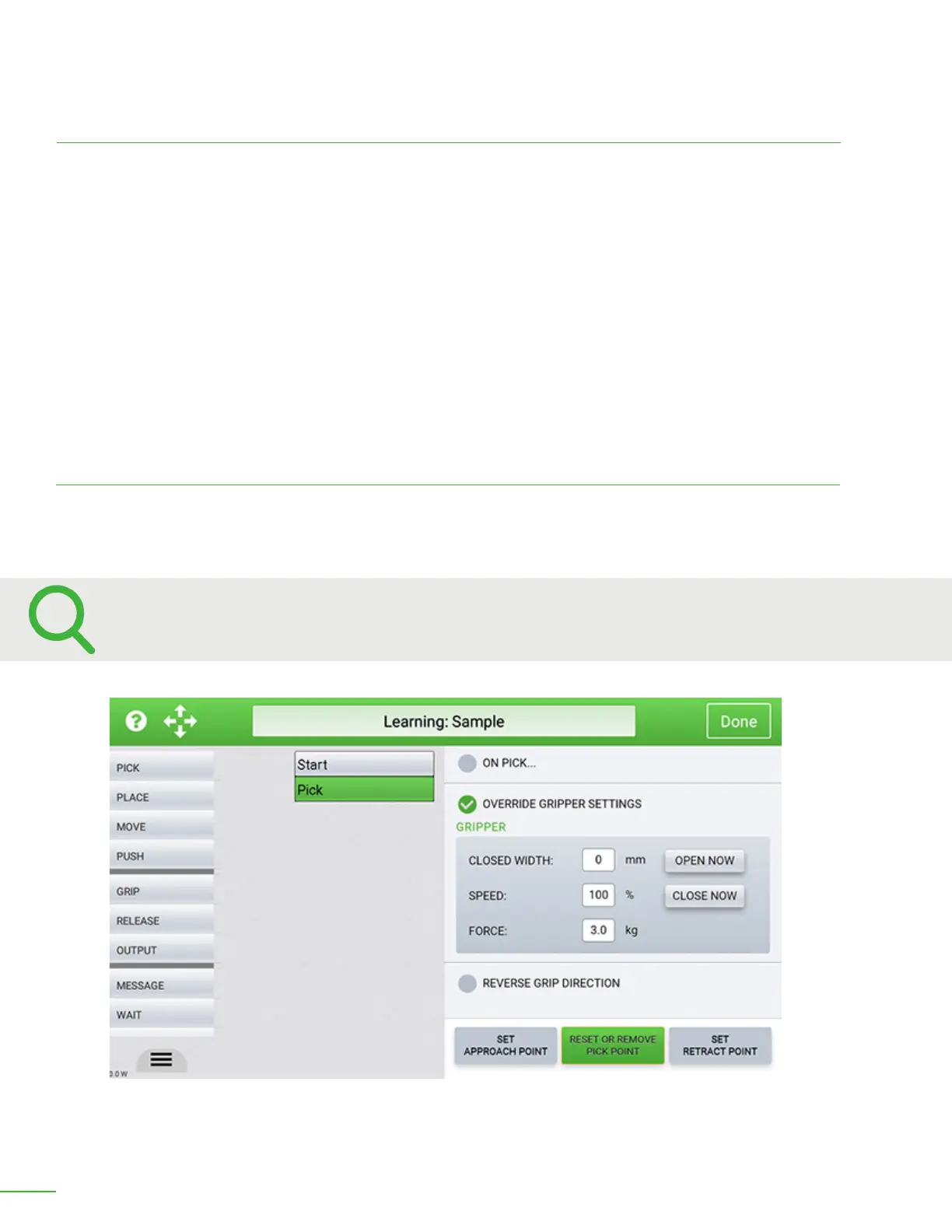
Reverse Gripper Direction
Checking this box will cause the gripper to open when picking up an object. An example would be
picking up a cylinder from the inside.
Use the “Override Gripper Settings” to specify the width, speed, and force for picking up delicate objects.
Gripper Override
Closed Width: Normally the gripper will close fully when picking up and object. In some cases it is
desirable to limit the amount the gripper will close. This could be when picking up an easily crushed
object. You can limit the amount the gripper closes by entering in that number here. Note: This
function is not available on all models of grippers or on vaccum grippers.
Speed: It is sometimes desirable to slow the speed at which the gripper closes. This can be useful
when picking up fragile objects. Normally the gripper will close at full speed. To decrease the closing
speed, enter the desired percentage of speed here. Note: This function is not available on all models
of grippers or on vaccum grippers.
Force: Use this entry to override the amount of force the gripper will apply to the object it is
acquiring. Note: This function is not available on all models of grippers or on vaccum grippers.


 To Next Page
 Loading...