8
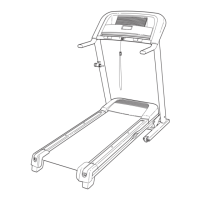
3. Identify the Left Upright (90), which is marked
“Left.” Have a second person hold the Left
Upright near the Base (105).
See the inset drawing. Tie the wire tie in the
Left Upright (90) securely around the end of the
Upright Wire (88). Then, pull the other end of the
wire tie until the Upright Wire is routed through
the Left Upright.
88
3
88
90
Wire
Tie
Wire
Tie
90
105
88
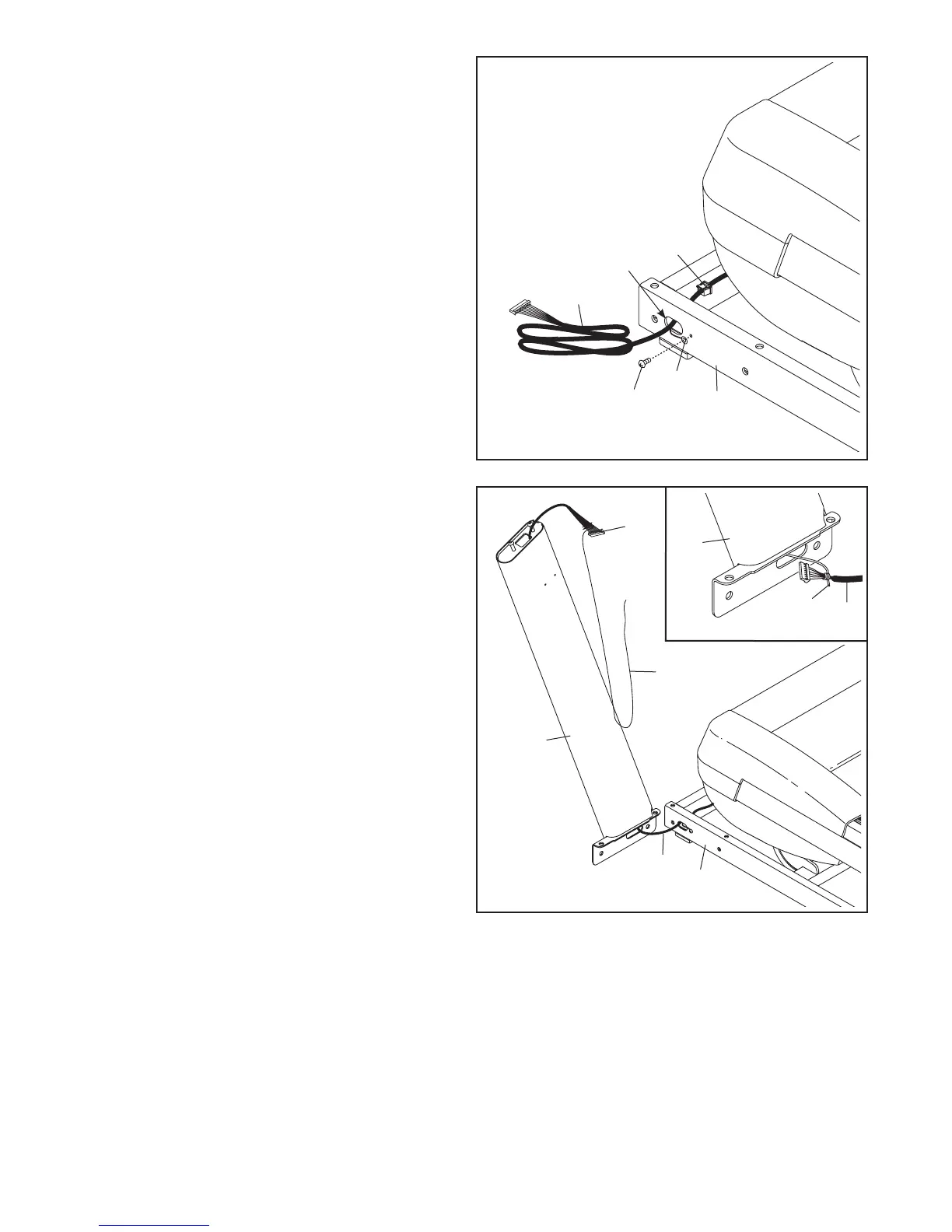
2. Pull the Upright Wire (88) and the base ground
wire (A) through the indicated hole in the Base
(105).
Attach the base ground wire (A) to the Base
(105) with a #8 x 1/2" Ground Screw (10).
Press the Grommet (101) into the square hole in
the Base (105).
88
2
Hole
10
A
105
101






 To Next Page