Connect Pro
20
www.profoto.com
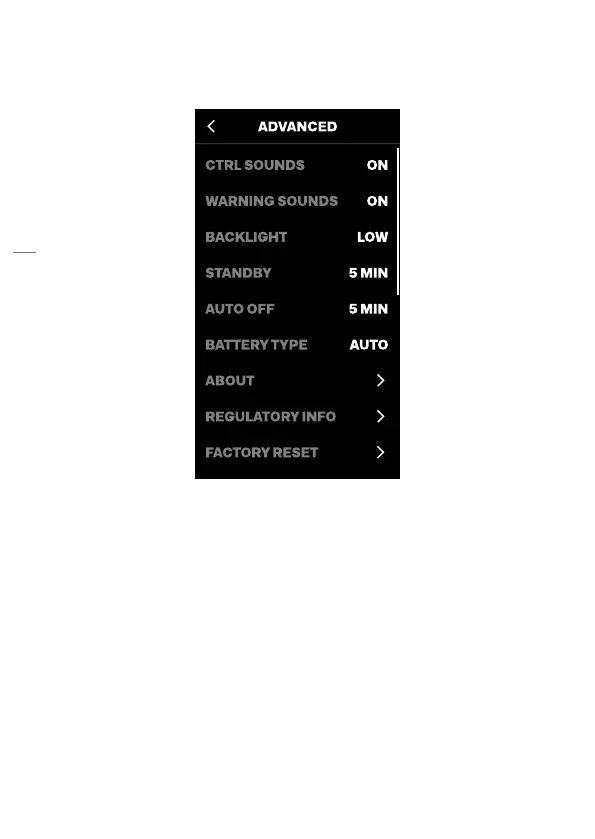
Advanced settings
The Advanced option opens the Advanced settings menu.
Control sounds
The control sounds setting is used to enable/disable the tactile sounds
for the dials and buttons. Factory setting is ON.
Warning sounds
The warning sounds setting is used to enable/disable the sound for the
wrong exposure alarm. Factory setting is ON.
NOTE
The EXP indicator will always appear temporarily on the menu display [10] in case of a
wrong exposure alarm, regardless of the warning sound setting.
Backlight
The backlight setting is used to change the display backlight.
Selectable settings are: LOW, MED, MAX. Factory setting is MED.


 To Next Page