Document # MAN0001 Issue 4.29 Page 22 of 34
Auto Relock
This function is used to control the behaviour of the controller after the door sensor input detects
that the door is opened and closed after a valid lock release. If enabled, the door will be
automatically locked once the door is closed, effectively shortening the lock release time.
Programming Auto Relock
Feature
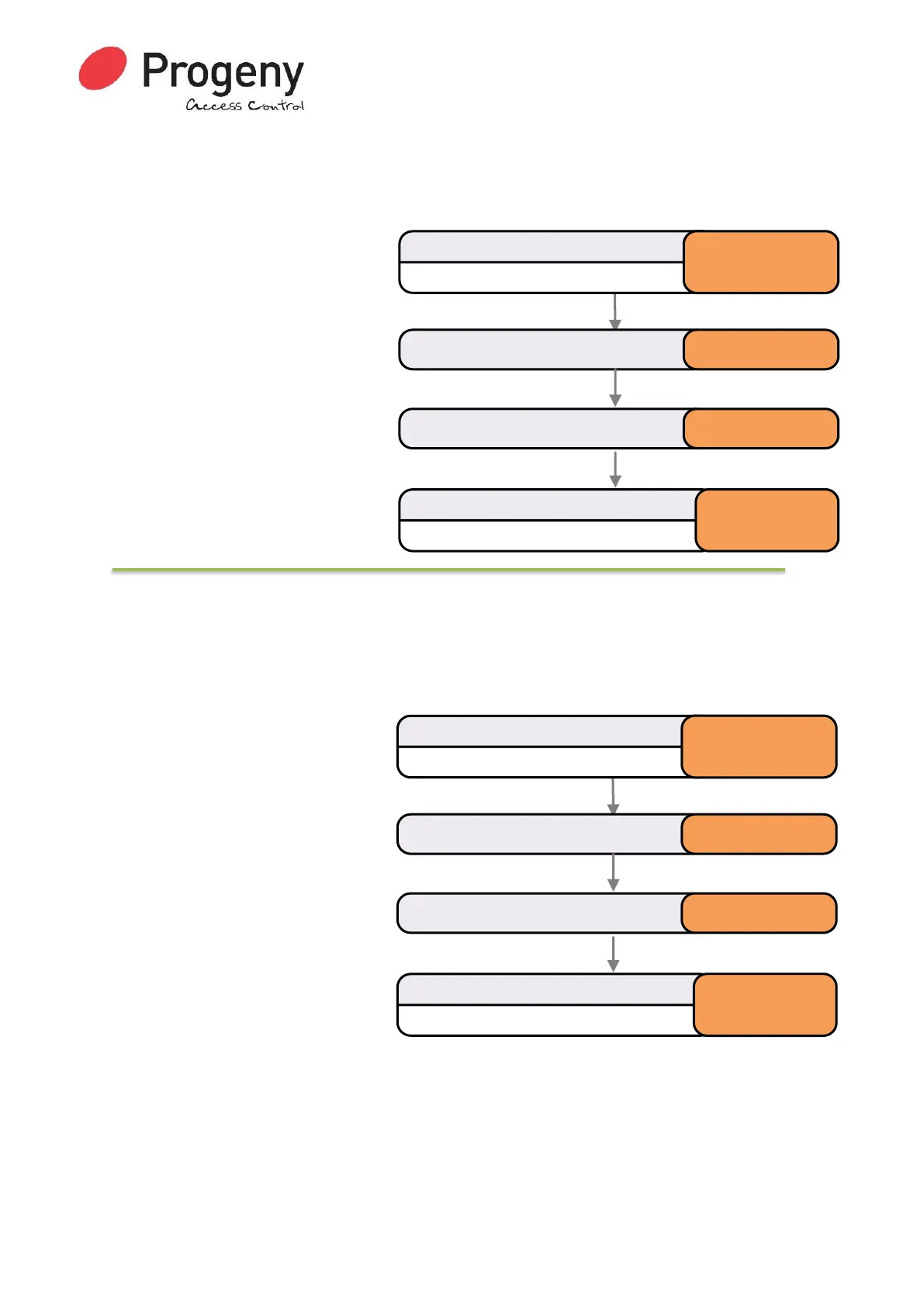
This example flow diagram shows the
“Auto Relock” feature is turned on.
Range of Values:
• 0 = Off
• 1 = On
Default Value:
• 0 = Off
Related Engineer Menus:
• 02 “Lock Release Time”
Clear Credential Data
This function will erase all Credential data in the. Once executed no Crystal RFID credentials will
open the lock.
Erase Credential Data Function
N.B.
• Using this function will erase all
Credential data from the
controller.
• The Access Code is unaffected
• The User and Engineers
Passwords are unaffected
Status LED will Flash
Enter Engineer Password
* 1 2 3 4 5 6
Select Auto Relockmenu * 1 5
Status LED will stop Flashing
Complete & Exit Programming Mode
#
Enter value (0 or 1) 1
Status LED will Flash
Enter Engineer Password
* 1 2 3 4 5 6
Select Clear Card Datamenu * 1 7
Status LED will stop Flashing
Complete & Exit Programming Mode
#
Enter fixed verify code 7 4 9 1 6 2


 To Next Page