Document # MAN0001 Issue 4.29 Page 24 of 34
Controller Alarm Volume
The C4 Controller has a speaker that can be used for alarm sound. The volume of that sound can
be controlled using this engineers function.
The range of Values:
0 = Off
15 = Full Volume
Default Value:
15 = Full Volume
Related Engineers Menus:
• 03 Door Alarm Delay
• 33 Ext Reader Alarm Volume
Controller Feedback Volume
The C4 Controller has a speaker that can be used for feedback sounds to the user. The volume of
that sound can be controlled using this engineers function.
The range of Values:
0 = Off
15 = Full Volume
Default Value:
8 = Mid Volume
Related Engineers Menus:
• 03 Door Alarm Delay
• 34 Ext Reader Feedback
Volume
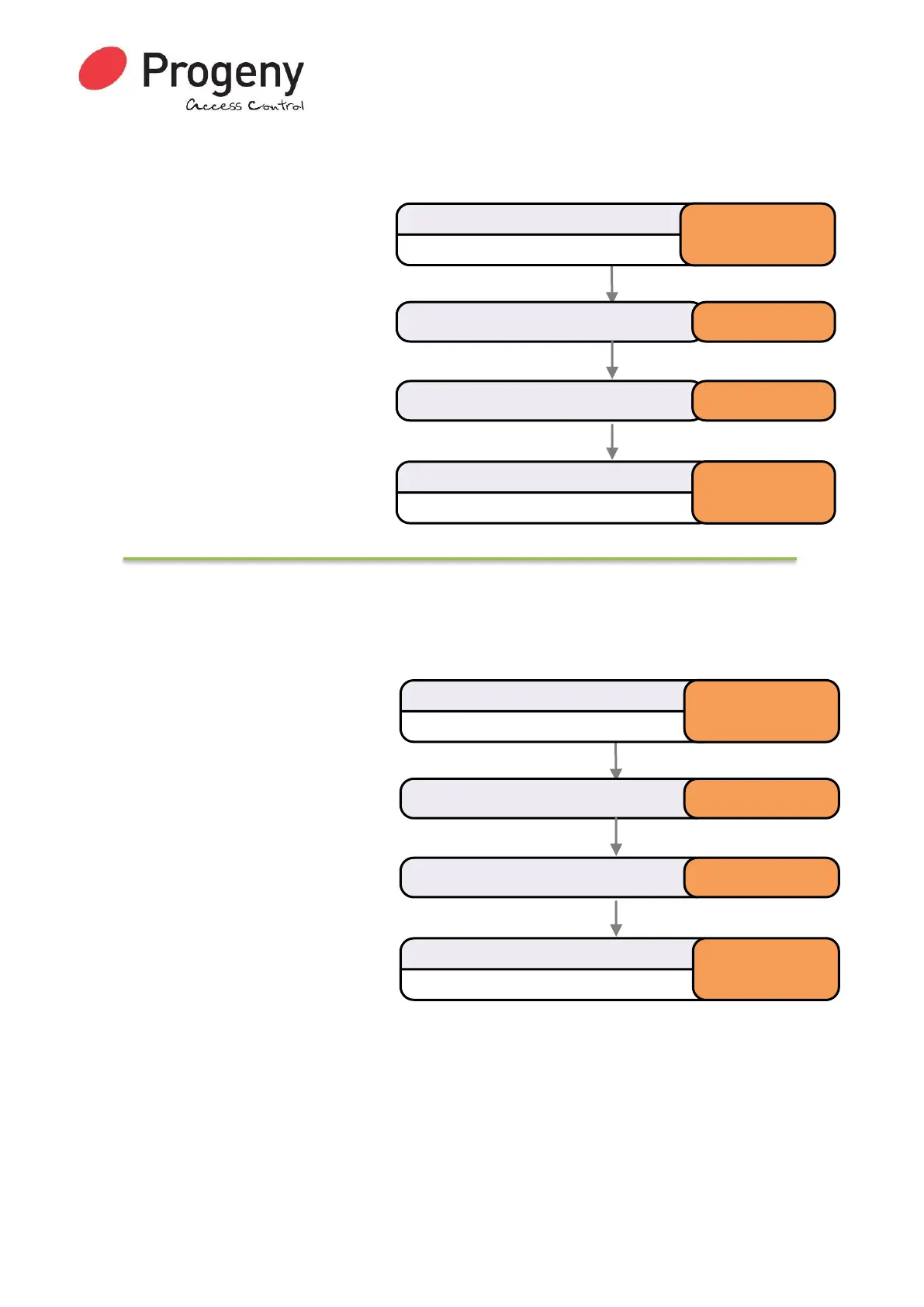
Status LED will Flash
Enter Engineer Password
* 1 2 3 4 5 6
Select Controller Alarm Volume * 3 1
Status LED will stop Flashing
Complete & Exit Programming Mode
#
Enter selected value (0 to 15) 15
Status LED will Flash
Enter Engineer Password
* 1 2 3 4 5 6
Select Controller Feedback Volume * 3 2
Status LED will stop Flashing
Complete & Exit Programming Mode
#
Enter selected value (0 to 15) 8


 To Next Page