18
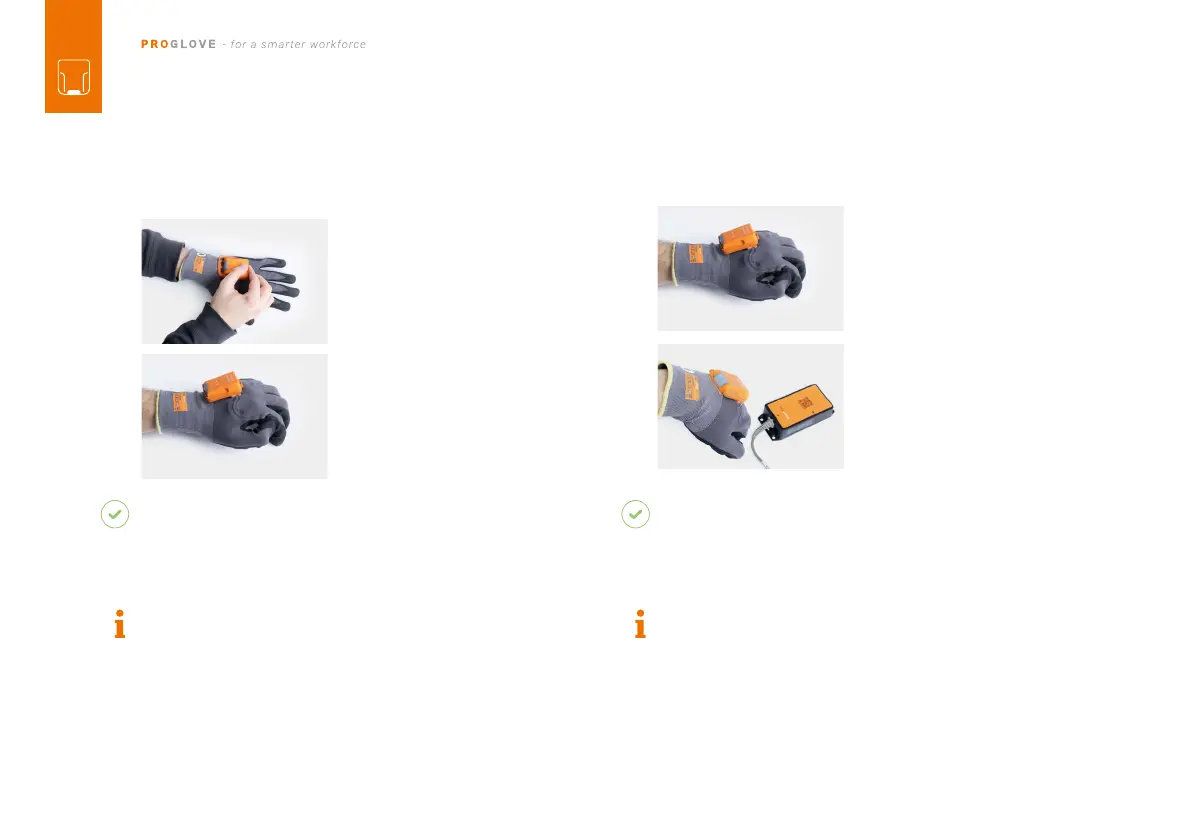
1. Position MARK 2 on the
fastening rail of the glove.
The pins face down.
2. Push MARK 2 down. A
the correct fastening.
on the glove for about 2
seconds.
RESULT
MARK 2 lights up with all LEDs. You can hear a beeping
sound and feel a short vibration.
MARK 2 is switched on.
NOTE
MARK 2 switches off automatically after 15 minutes
without being used.
CONNECT VIA 868/915 MHz:
on the glove in order to acti-
vate the red crosshairs.
2. Aim MARK 2 crosshairs
on the Access Point One
S and scan the pairing
barcode.
RESULT
MARK 2 lights up twice. You can hear a beeping
sound and feel a short vibration.
MARK 2 is connected to the Access Point One S.
NOTE
Several MARK 2 can be connected to an Access Point
One S.
3
RD
STEP: SWITCH ON MARK 2 4
TH
STEP: CONNECT MARK 2 (868/915 MHZ)



 To Next Page