EasyManua.ls Logo

ProGlove Mark 2 - Disconnecting from Microsoft Windows

ProGlove Mark 2
44 pages
Print Icon
To Next Page IconTo Next Page
To Previous Page IconTo Previous Page
Loading...
28
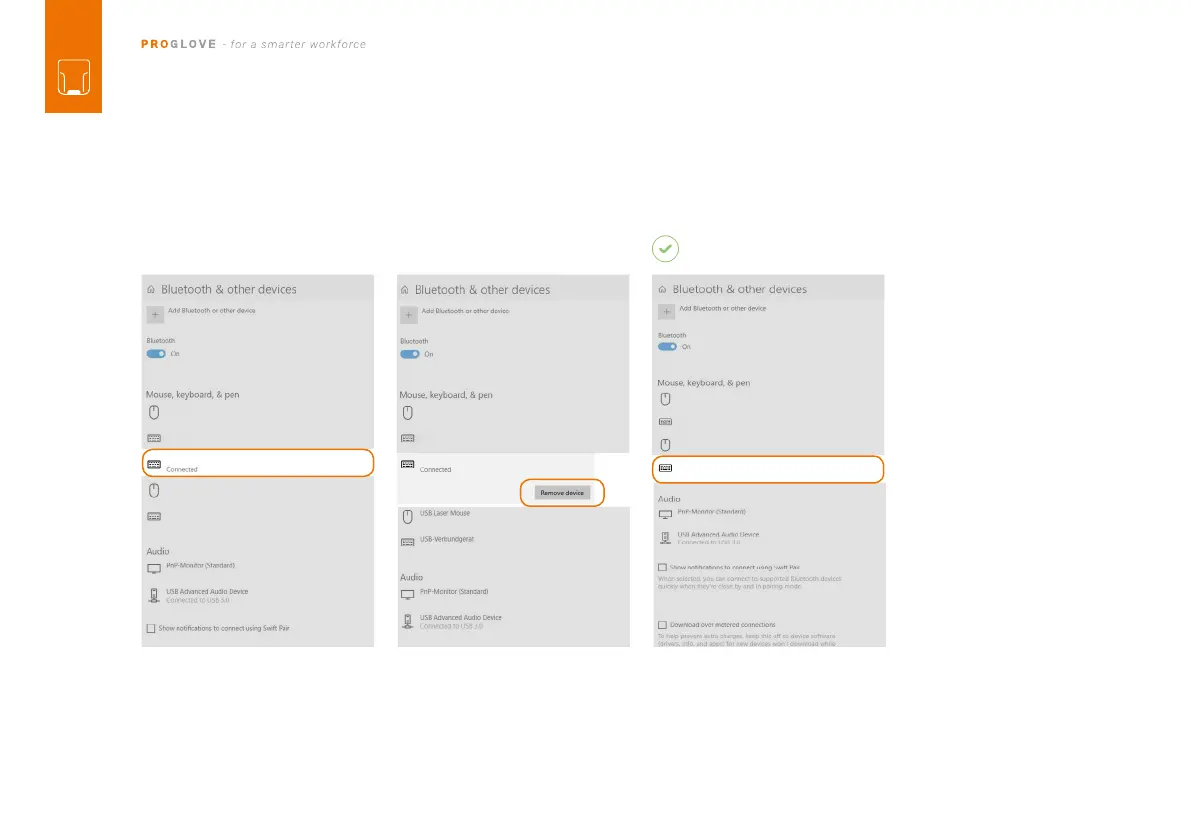
DISCONNECTING FROM MICROSOFT WINDOWS:

you will hear three beeps.
MARK 2 will no longer be shown as
connected under “Other devices.
Under “Bluetooth and other devic-
es,” select “MARK 2 - 00000.
Click “Remove device.
MARK 2 - 00000
01 02
MARK 2 - 00000
RESULT

Table of Contents

Other manuals for ProGlove Mark 2

Related product manuals