26
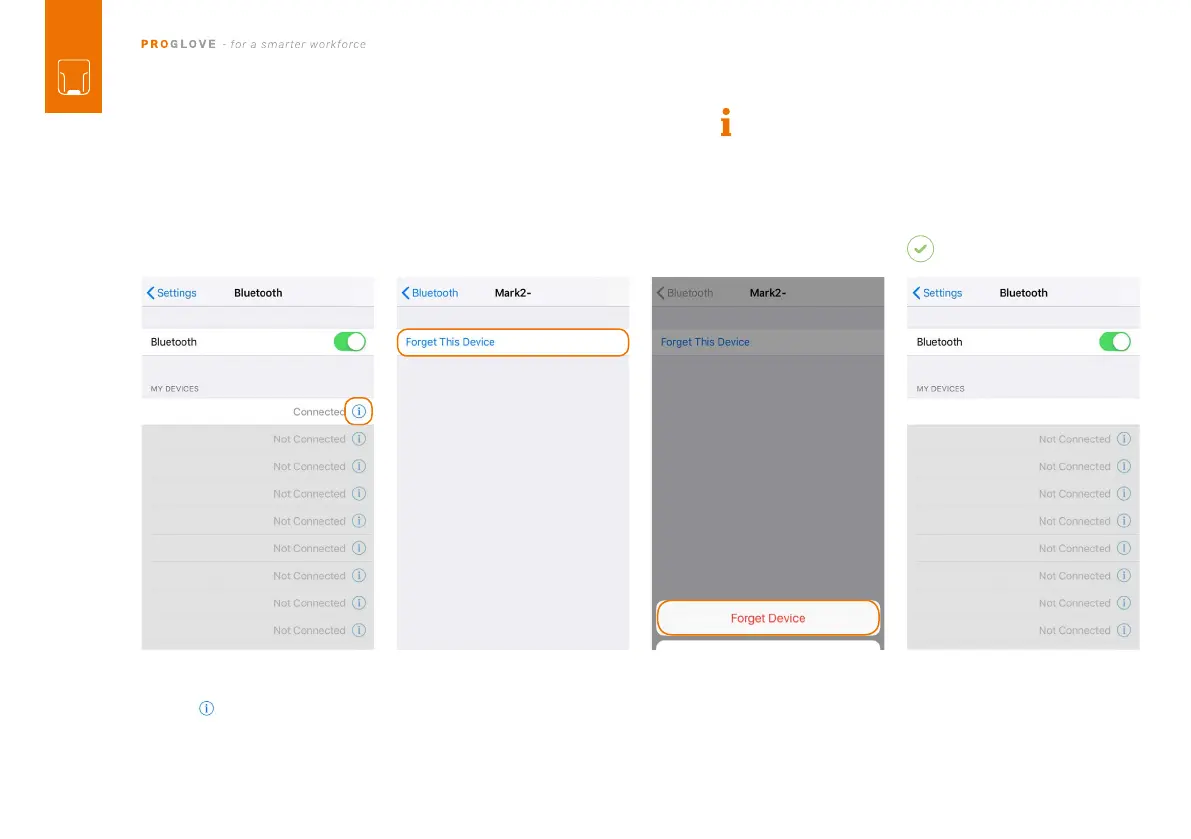
Under: "Settings - Bluetooth,” tap
on the symbol.
DISCONNECT FROM APPLE iOS:
6TH STEP: DISCONNECT MARK 2 (BLE HID)
and you will hear three beeps. MARK
2 will no longer be shown as
connected under “Other devices.”
Tap on “Forget this device.”
NOTE: Only disconnect MARK 2 if this is to be newly
connected to another end device.
01 02 03
MARK 2 - 00000
RESULT



 To Next Page