24
4
TH
STEP: CONNECT SCANNER (BLE)
For using a ProGlove scanner with ProGlove
INSIGHT Mobile via software keyboard,
Intent or SDK find more information under
docs.proglove.com > PG INSIGHT Mobile.
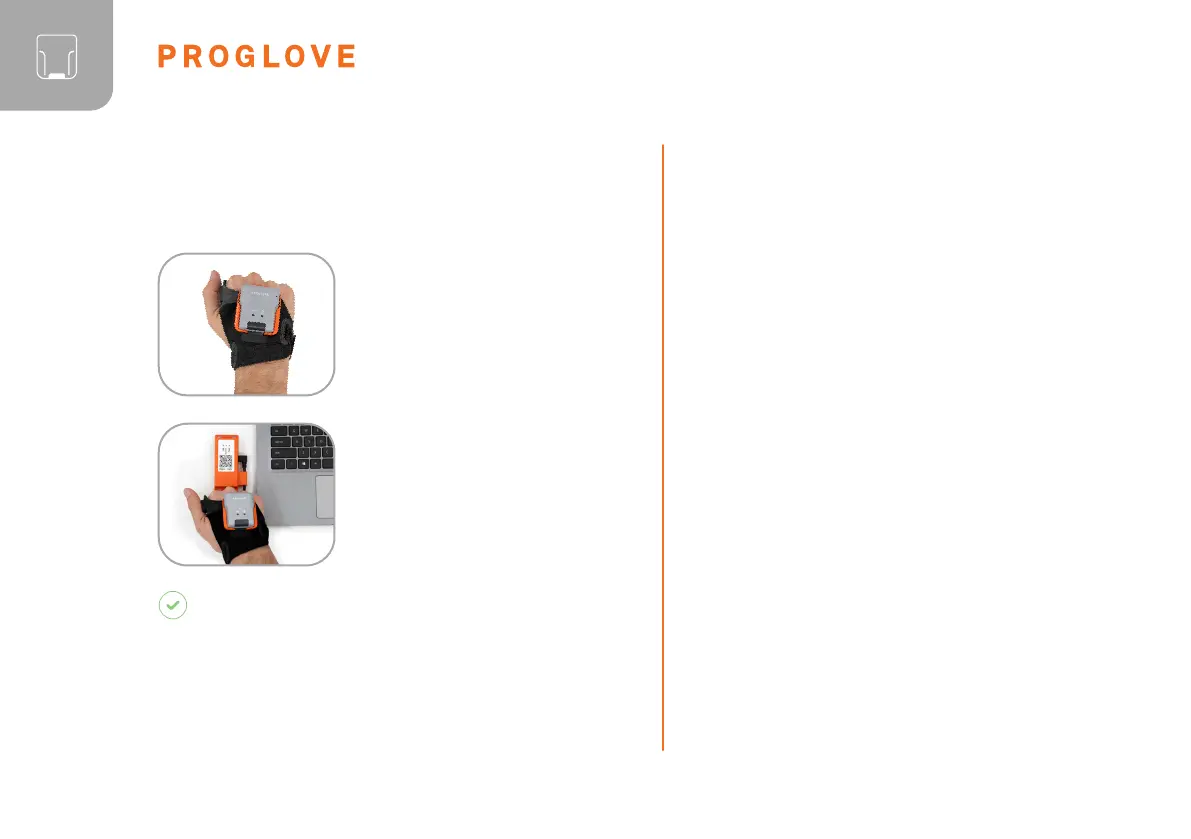
1. Press the trigger on the
wearable in order to activate
the scanner.
2. Aim scanner on the
connectivity device and scan
the pairing barcode on the
Gateway.
RESULT
Scanner lights up twice. You can hear a beeping sound
and feel a short vibration. Scanner is connected to
the connectivity device.
CONNECT VIA BLE HID TO AN END
DEVICE
4
TH
STEP: CONNECT THE SCANNER
CONNECT VIA CONNECTIVITY DEVICE
CONNECT VIA PROGLOVE INSIGHT
MOBILE:
The scanner can be used to establish a connection
via Bluetooth Low Energy Human Interface Device
(BLE HID) to an end device. Possible operating
systems are: Apple iOS, Google Android, Microsoft
Windows.
The individual steps for connecting to the respective
operating systems for the first time can be found in
the following.



 To Next Page