25
4
TH
STEP: CONNECT SCANNER (BLE)
PREREQUISITES:
The end device supports at least Bluetooth 4.0 standard
No interference or physical obstacles (e.g. metal
shelves) interfere with the connection between the
scanner and the end device
The range between the scanner and the end device is
<33 ft (10m)
TIP 1
Visually label the connected devices (scanner with
the end device), e.g.using numbering or a color code.
This will allow the user to find the right devices faster.
TIP 2
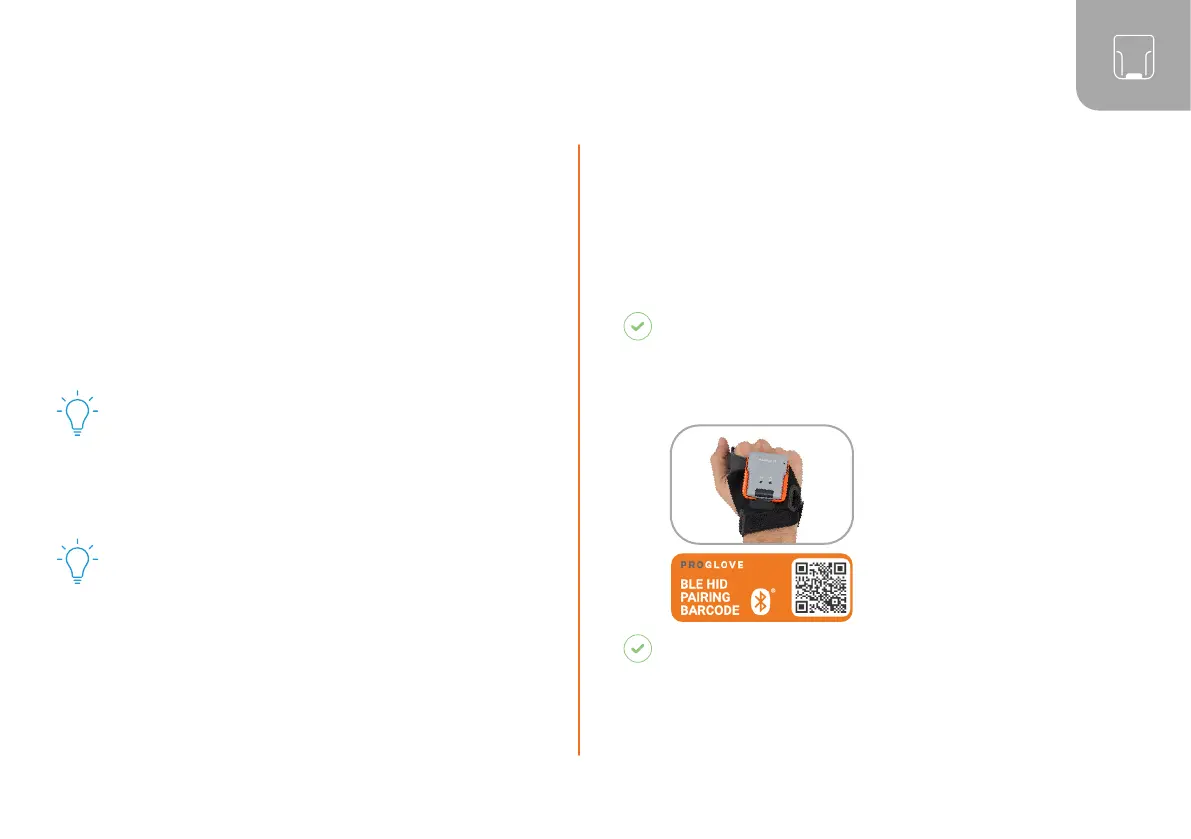
Adhere the pairing barcode to the end device. In this
way, the user can find it quickly and easily.
On a battery-operated end device, the power-saving mode
can lock the end device and scanner simultaneously.
RESULT
Example serial number: MARK Basic - 00000.
To make the scanner visible for the end device, the
scanner must be put into pairing mode:
1. Press the trigger on the
wearable in order to
activate the scanner.
2. Aim the scanner at the
pairing barcode and scan.
RESULT
Scanner pulses blue and beeping sounds can be
heard. Scanner is searching for an end device in
pairing mode.
Permanently disable the power-saving mode of the
end device.
The last 5 digits of the serial number attached to the
back side identify the scanner among the available
Bluetooth devices.
Read the serial number of the scanner.



 To Next Page