26
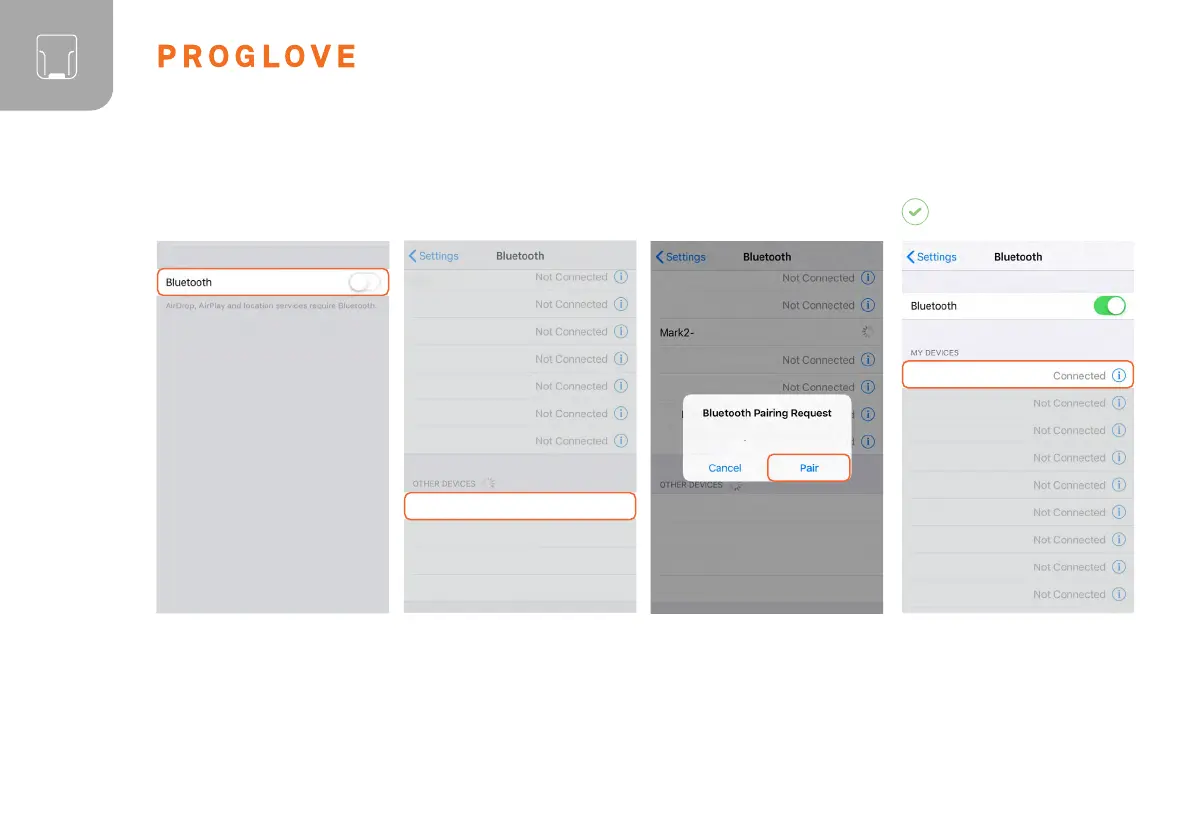
Under “Settings - Bluetooth,”
activate the Bluetooth option.
Select “MARK Basic - 00000”.
02
MARK Basic - 00000
CONNECT WITH APPLE iOS 11 OR HIGHER:
Confirm the “Bluetooth Pairing
Request”.
The scanner will flash blue twice
and you will hear two beeps.
The scanner will be shown as
connected under “My devices”
and is ready for use.
03
MARK Basic - 00000
RESULT
"MARK Basic" would like to pair
with your iPhone.
01



 To Next Page