27
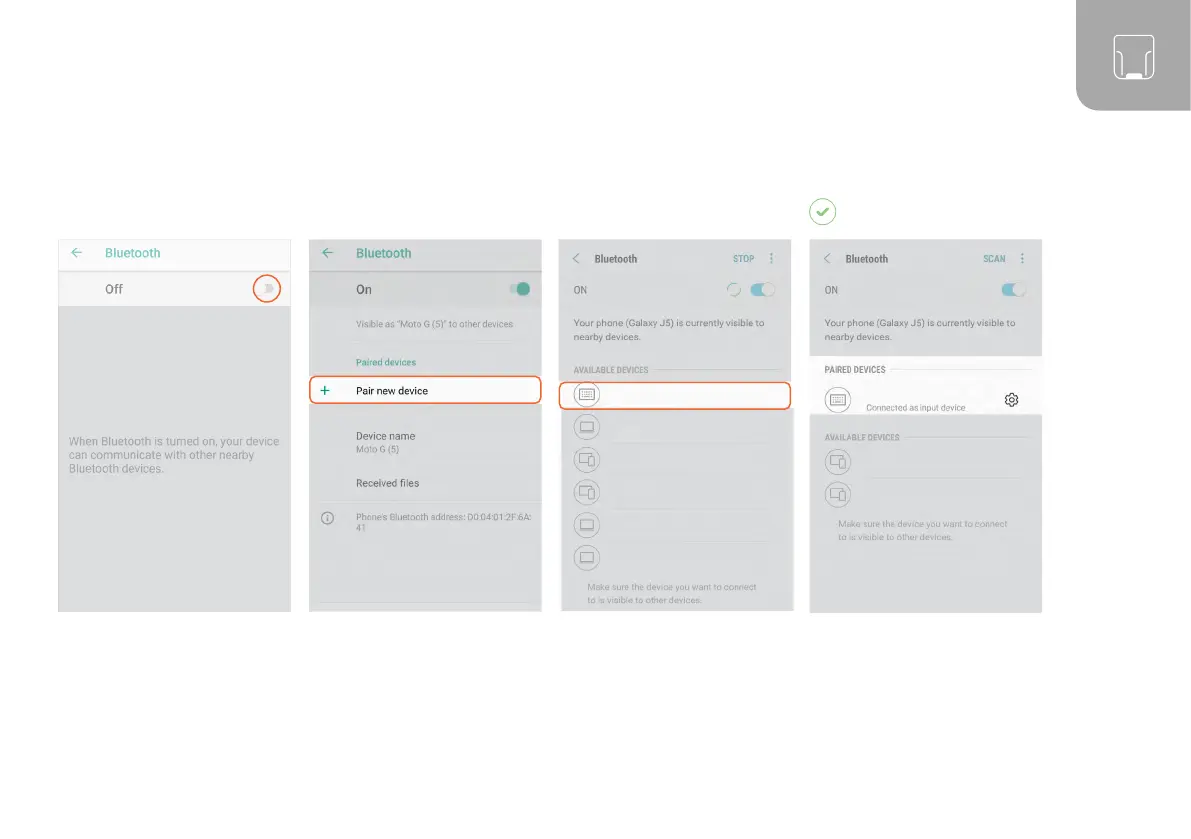
Under “Settings - Connected
devices,” switch on the
Bluetooth option.
Tap “Bluetooth” and select
“Pair new device.”
CONNECT WITH GOOGLE ANDROID 4.4 OR HIGHER:
Select ‘MARK Basic - 00000’. The scanner will flash blue twice
and you will hear two beeps.
The scanner will be shown as
connected under “Paired devices”
and is ready for use.
MARK Basic - 00000
- 00000
MARK Basic - 00000
02 03
RESULT
01



 To Next Page