15
Parameters | General
User Manual | Agrónic 2500
5.3. GENERAL
The meter and alarm inputs and the pump, fertilizing,
filter, etc. outputs are configured in this section.
These inputs and outputs must be from the base of
the Agrónic 2500, they cannot be on external modules
such as the AgroBee-L.
Pumps
Output connected to the drive pumps or general valves.
GENERAL PARAMETERS
Pump 1: yes
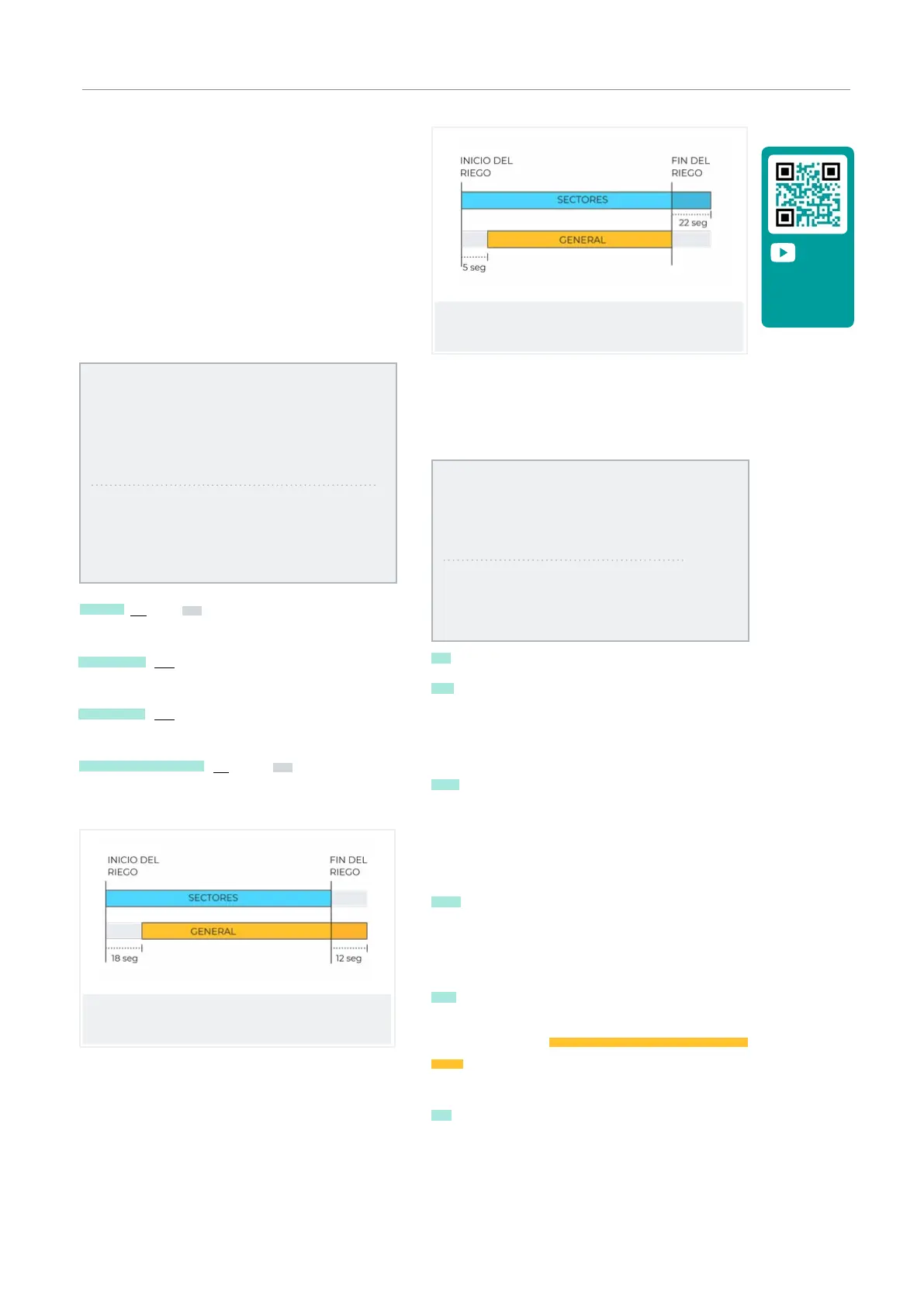
Temp. start: 018”
Temp. stop: 012”
Stop in the sectors: no
Pump 2: yes
Temp. start: 005”
Temp. stop: 022”
Stopping the sectors: yes
Pump 1 (No | Yes): yes if pump 1 output is to be used. An
output must be assigned to the pump.
Temp. start (000 ... 250”): time delay in activating the
pump when starting an irrigation.
Temp. stop (000 ... 250”): time that the pump stop is
extended when stopping irrigation.
Stopping the sectors (No | Yes): yes for the pump to
stop when irrigation is finished and for the sectors to
remain open for a few more seconds.
Run timing: 018
Stop timing: 012
Stop in the sectors: no
Run timing: 005
Stop timing: 022
Stop in sectors: yes
Inputs
At the base of the Agrónic 2500 there are 6 digital inputs,
identified as D1 to D6, to connect the following sensors.
GENERAL PARAMETERS
Assign inputs:
IM FM
1 2
Assign inputs:
SC TM DM CS PS AL
4 0 0 5 0 0
IM Irrigation meter.
FM Fertilizing meter 1 to 4, when fertilizing is in series
format, there is only one common meter for all CF fer-
tilizers. For parallel fertilization there will be 4 meters:
cF1 to CF4.
SC Start cleaning. Used to connect a dierential
pressure gage and make cleanings by increasing the
pressure between the inputs and outputs for a group
of filters. The IL input is only taken into account if there
is an irrigation program.
TM Temporary malfunction, it stops the irrigation
program in progress but allows the next sequence
or start to continue. The AT input is only taken into
account if there is an irrigation program.
DM Definitive malfunction, is what causes a total and
definitive stop of the system until it is manually reacti-
vated by the user in ‘Function - 2. Manual - 6. Terminate
stops’. The AD input is only taken into account if there
is an irrigation program.
CS Conditional stop, when activated, all the programs
under way stop completely with their remaining units
intact. Once the stop is over, irrigation resumes at the
same point. While in a conditional stop, programs may
begin and be placed on standby.
Video tutorial
available for
this section



 To Next Page