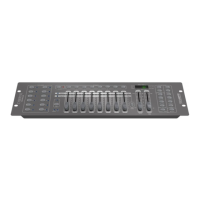
CYBER 192
18
- 7 - MIDI
7.1 FUNZIONAMENTO MIDI
1. Premere il tasto [MIDI/ADD], il LED del display lampeggerà mostrando il canale Midi.
2. Premere i tasti [BANK UP] / [BANK DOWN] per selezionare i canali DMX 01-16 da assegnare al canale
Midi.
3. Tenere premuto il tasto [MIDI/ADD], per salvare le impostazioni.
MIDI note FUNCTION (turn on/o)
00 - 07 SCENE 1 - 8 in BANK 1
08 - 15 SCENE 1 - 8 in BANK 2
16 - 23 SCENE 1 - 8 in BANK 3
24 - 31 SCENE 1 - 8 in BANK 4
32 - 39 SCENE 1 - 8 in BANK 5
40 - 47 SCENE 1 - 8 in BANK 6
48 - 55 SCENE 1 - 8 in BANK 7
56 - 63 SCENE 1 - 8 in BANK 8
64 - 71 SCENE 1 - 8 in BANK 9
72 - 79 SCENE 1 - 8 in BANK 10
80 - 87 SCENE 1 - 8 in BANK 11
88 - 95 SCENE 1 - 8 in BANK 12
96 - 103 SCENE 1 - 8 in BANK 13
104 - 111 SCENE 1 - 8 in BANK 14
112 - 119 SCENE 1 - 8 in BANK 15
120 CHASE 1
121 CHASE 2
122 CHASE 3
123 CHASE 4
124 CHASE 5
125 CHASE 6
126 BLACKOUT


 To Next Page