17
CYBER 192
- 8 - MAINTENANCE
8.1 GENERAL TROUBLESHOOTING
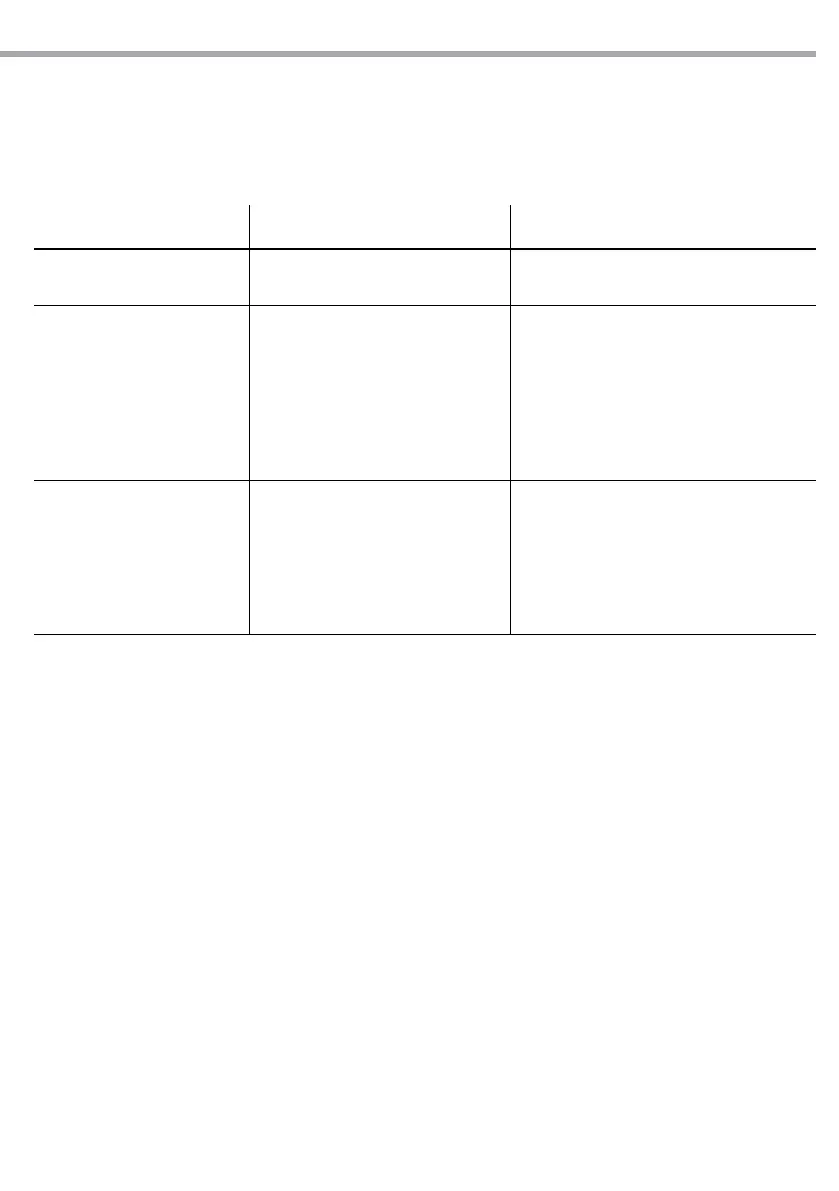
Problems Possible causes Checks and remedies
Device does not power up
• No power
• Loose power cord
• Check for power on mains
• Check power cord
Fixture does not respond to DMX
• Wrong DMX addressing
• Damaged DMX cables
• Wrong polarity settings on the
controller
• Loose DMX cables
• Faulty DMX interface
• Faulty Main PCB
• Check control panel and unit addressing
• Check DMX cables
• Check polarity switch settings on the
controller
• Check cable connections
• Replace DMX input
• Replace Main PCB
Loss of signal
• Non DMX cables
• Bouncing signals
• Long cable/ Low level signal
•
• Interference from AC wires
• Use only DMX compatible cables
• Install terminator as suggest
• Install amplier right after xture with strong
signal
• Keep DMX cables separated from power
cables or black lights
Contact an authorized service center in case of technical problems or not reported in the table can not be
resolved by the procedure given in the table.


 To Next Page