PROLIGHTS - EclFresnel TW / PTW14
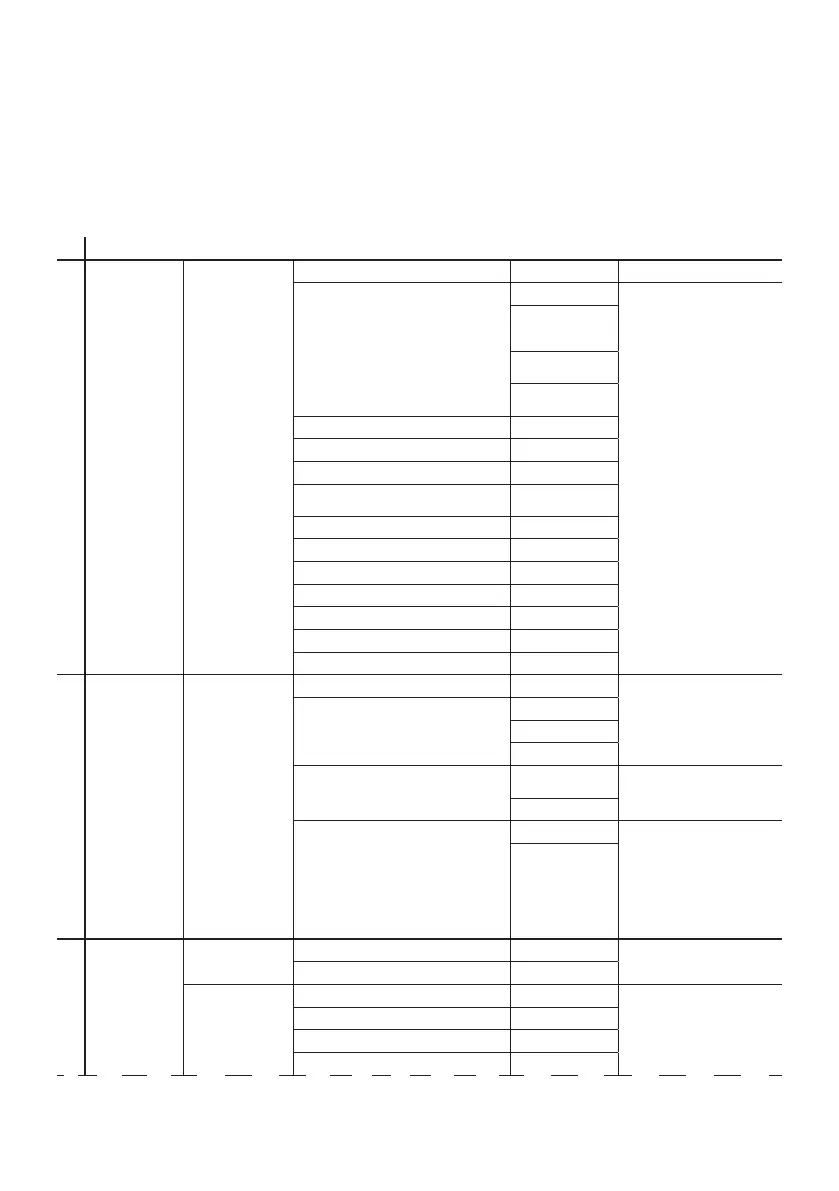
9 - MENU STRUCTURE
The following chart describes the MENU tree of the product, the terms shown in BOLD indicates the
default settings.
MENU
1 CONNECT DMX ADDRESS 001-512
DMX MODE
1CH
2CH
Amber Shift On
Color Tempera-
ture
CCT /HUE
Color Picker
71, 97 ... 777
Customization
R G B RB O L Raw
5CH1
5CH2
7CH1
7CH2
Color Picker
71, 97 ... 777
8CH
9CH
12CH
13CH
16CH
19CH
21CH
2 SETUP SCREEN BACKLIGHT ON
Allows you to select the
timing after that display
will switch automatically off
when unactive.
10 s
20 s
30 s
FLIP DISPLAY NO
Allows you to rotate the
display by 180°.
YES
KEY LOCK NO
Allows you lock the buttons
on
the control panel by a
password. Press following
combinations (password) in
order to
access to the user menu : UP,
DOWN, UP, DOWN
YES
3 ADVANCED FULL ON MODE HB
To choose Full On mode.
STUDIO
DIMMER MODE OFF
To choose the dimmer curve.
DIMMER 1
DIMMER 2
DIMMER 3



 To Next Page