11
EVO64CYC
DMX512 Controller
. . . . . . . . . . . .
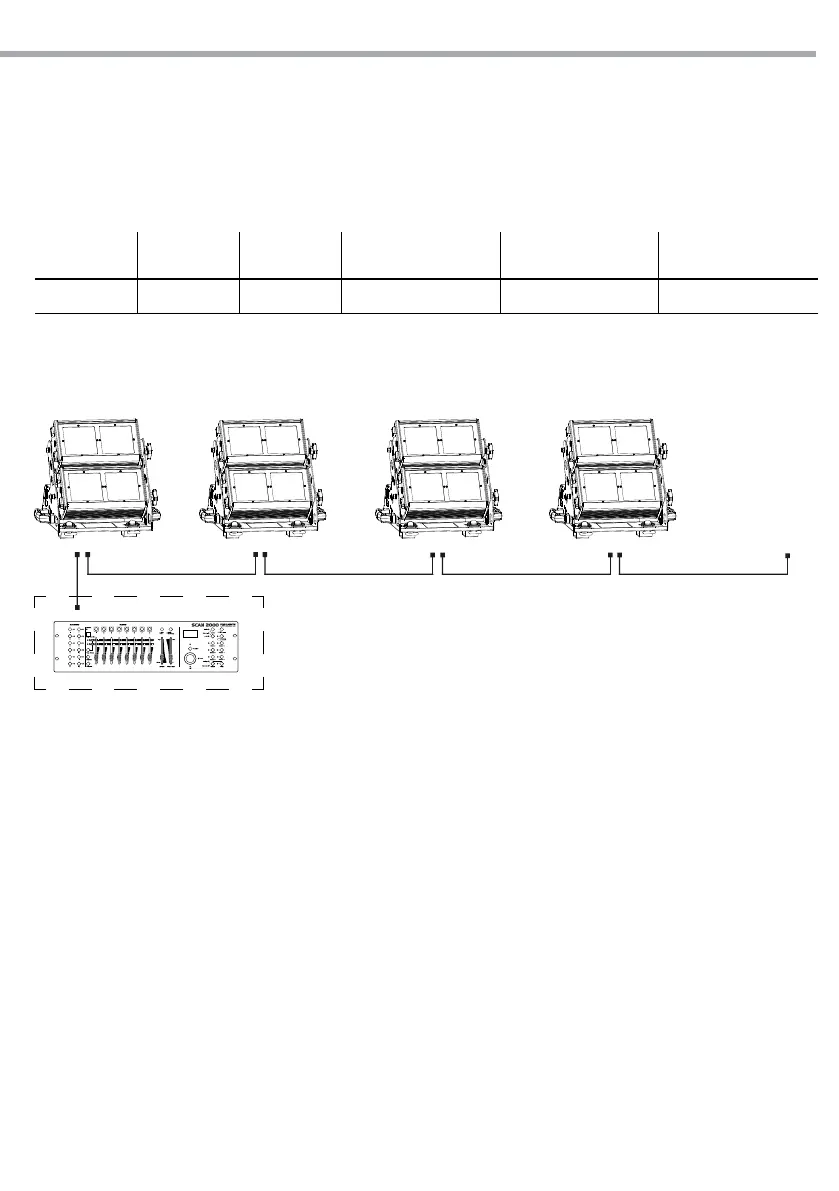
Example 17 DMX channels configuration (TR16 mode)
Fig.6
DMX Address: 33 DMX Address: 84DMX Address: 50 DMX Address: 67
3.9 DMX ADDRESSING
To able to operate the EVO64CYC with a light controller, adjust the DMX start address for the rst a DMX
channel. If e. g. address 33 on the controller is provided for controlling the function of the rst DMX chan-
nel, adjust the start address 33 on the EVO64CYC. The other functions of the light eect panel are then
automatically assigned to the following addresses.
An example with the start address 33 is shown below:
Number of
DMX channels
Start address
(example)
DMX Address
occupied
Next possible start
address for unit No. 1
Next possible start
address for unit No. 2
Next possible start
address for unit No. 3
17 33 33-49 50 67 84



 To Next Page