SMARTBATPLUS
10
3.7 MANUAL COLOR
To set the personal balance of the color refer to the following procedure:
• Press the MENU button so many times until the display shows [Static]
• Press the ENTER button to conrm.
• Press the MENU button so many times until shows [Manual Color].
• Press the ENTER button to conrm.
• Using UP/DOWN button, select one of the programs [R,G,B,W].
• Press the ENTER button to conrm.
• Using UP/DOWN button, select the wanted value of the program [000-255].
• Press the ENTER button save the setting and to pass to the successive color.
• Continue until obtain the wanted color mix
3.8 IR SETUP
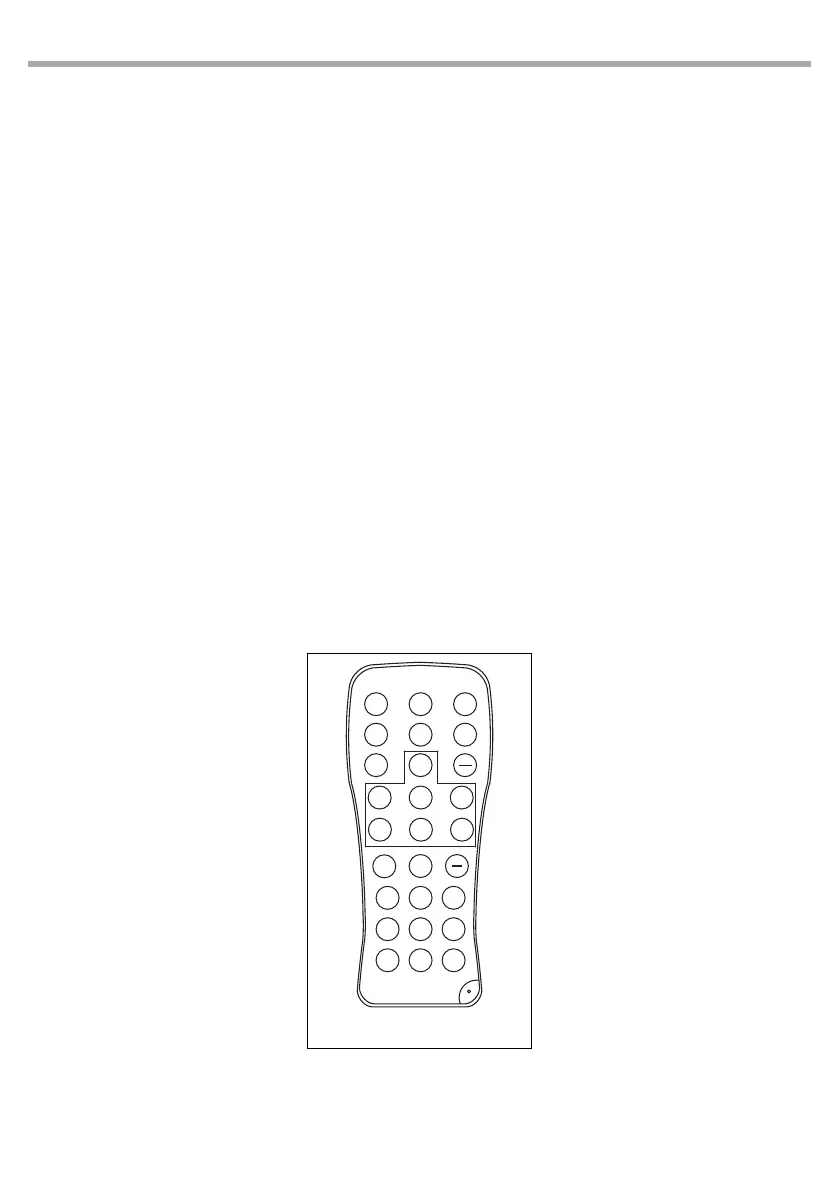
To start up the IR recevitor refer to the following steps:
• Press the MENU button so many times until the display shows [IR Setup].
• Press the ENTER button to conrm.
• Press the UP/DOWN button, select one of the programs [ON] or [OFF].
• Press the ENTER button for save the setting.
NOTE - Make sure to point the controller directly at the receiver on the product.
Fig.6
IRC REMOTE
BLACK
OUT
AUTO
STROBE SPEED
SOUND
SENSI-
TIVITY
%
MANUAL
FADE
SNAP
R
G B
+
0
1
2
3
4
5
6
7 8 9
A
UV W



 To Next Page