11
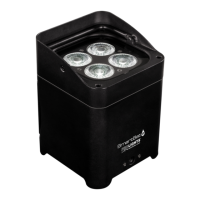
SMARTBATPLUS
3.9 WIRELESS SETTING
• To set the wireless mode refer to the following guide:
• Press the MODE button until the display shows Wireless Setting, then press the ENTER button.
• Use the UP/DOWN button until the display reads Wireless Receive, and then press the ENTER button
and select the ON mode.
• Press the MODE button to go back or to meet the waiting time to exit the setup menu. NOTE - After you
complete these steps, you have to synchronize with any wi unit with which you want to communicate
by pressing the sync button present on the same. Then connect any DMX console to wi
• unit for to open the communication with the SMARTBATPLUS unit.
• To reset the unit press the MODE button until the display shows Wireless Reset, then press the ENTER-
button.
• Use the UP/DOWN button until the display reads Yes, and then press the ENTER button.
• Press the MODE button to go back or to meet the waiting time to exit the setup menu.
3.10 DIMMER MODE
• Enter in Dimmer mode to select specic dimming curve, press the MENU button so many times until
shows [DIMMER MODE], and press the ENTER button to conrm.
• Press the button UP/DOWN to select [O - Dimer 1 - Dimmer 2 - Dimmer 3].
• Press ENTER button to store.
• Press the MENU button to go back or to meet the waiting time to exit the setup menu.
3.11 DMX MODE
• Press the MENU button so many times until shows, [DMX Channel] and press the ENTER button to conrm.
• Press the UP/DOWN button to select the desired DMX mode [4Ch], [6Ch], [10Ch], [HSV], [HSI] and press the
ENTER button to for save the setting.
• The tables on page 14 indicate the operating mode and DMX value.
3.12 DMX ADDRESSING
To be able to operate the SMARTBATPLUS with a light controller, set the unit DMX start address for the rst
DMX channel. To set the start address refer to following procedure:
• Use the UP/DOWN button until the display reads [DMX Address] and then press the ENTER button to
conrm
• Press the UP/DOWN button to select the value [d 1-509] and then press the ENTER button .
If e. g. address 33 on the controller is provided for controlling the function of the rst DMX channel, adjust
the start address 33 on the SMARTBAT.
The other functions of the light eect panel are then automatically assigned to the following addresses.
An example with the start address 33 is shown in the page 13.



 To Next Page