9
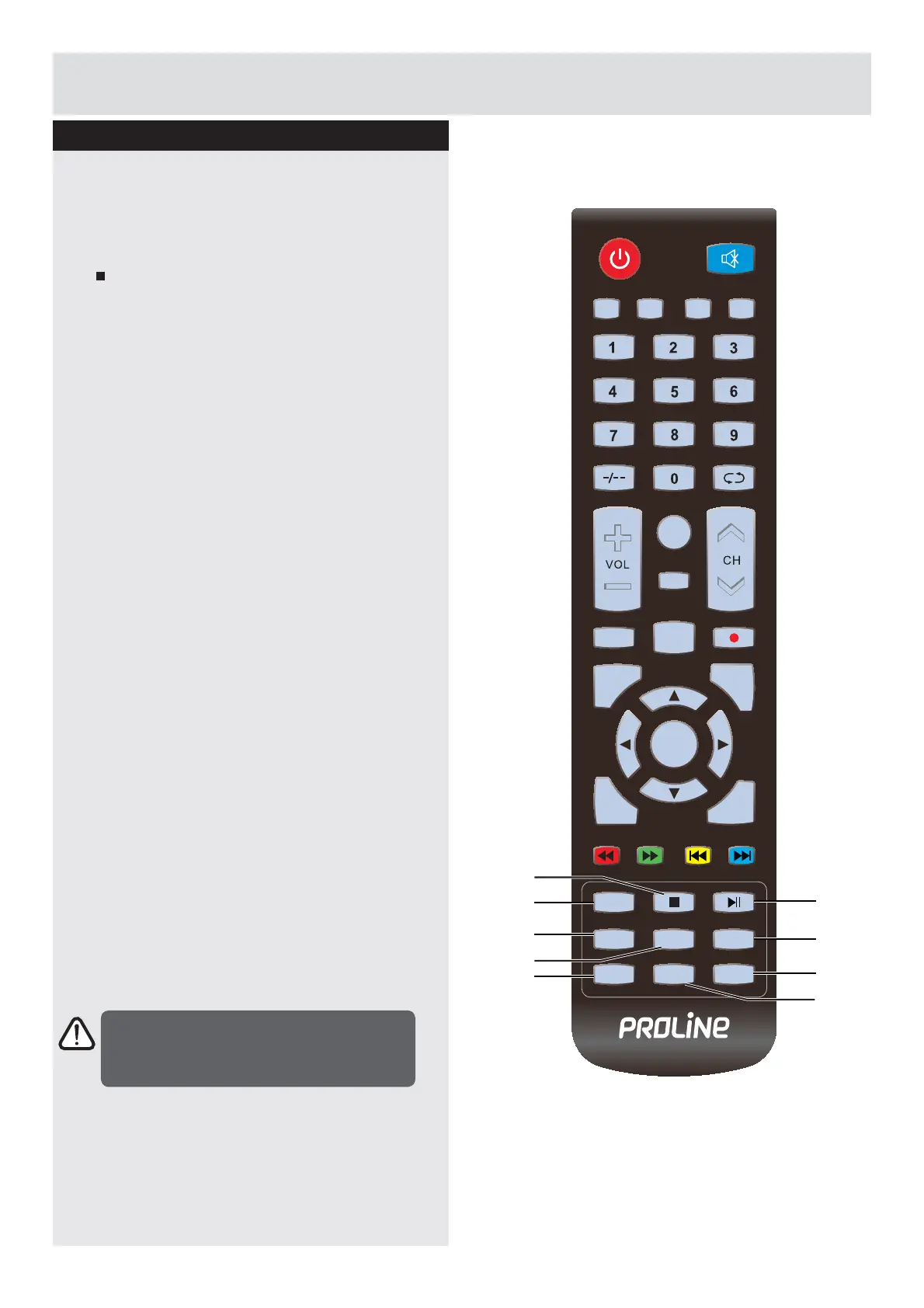
23.TEXT
Turn on and off the Teletext function. (ATV /
DTV mode.
24.
Press once to stop. (USB mode)
Ź,,
7RVWDUWWKHWLPHVKLIWSOD\EDFN'79PRGH
7RVWDUWSOD\EDFNRUSDXVH86%PRGH
26. INDEX
To select the page number of the index from
teletext. (ATV / DTV mode)
27. SIZE
To enlarge the picture on the TV in
teletext.(ATV / DTV mode)
28. REVEAL
Reveals hidden information such as the
DQVZHUWRDTXL]LQWHOHWH[W$79'79
mode).
29. HOLD
Freezes a multi-page passage on screen in
teletext. (ATV / DTV mode)
30. SUBPAGE
Displays the subpage on the teletext screen.
(ATV / DTV mode)
31. SUBTITLE
Display the subtitle which is broadcast with
the program. (DTV mode)
Viewing remote control
Getting Started
MUTE
PMODE SMODE FAV SLEEP
CH.LIST
ASPECT
EPG AUDIO
MENU
EXIT
DISPLAY
SOURCE
TEXT
INDEX
HOLD
SIZE
SUBPAGE
REVEAL
SUBTITLE
ENTER
25
28
31
23
26
27
30
29
24
127(,IWKHUHLVQRLQSXWVLJQDO79ZLOODXWRPDWLFDOO\
enter the standby state or shut off.
Downloaded from www.vandenborre.be



 To Next Page