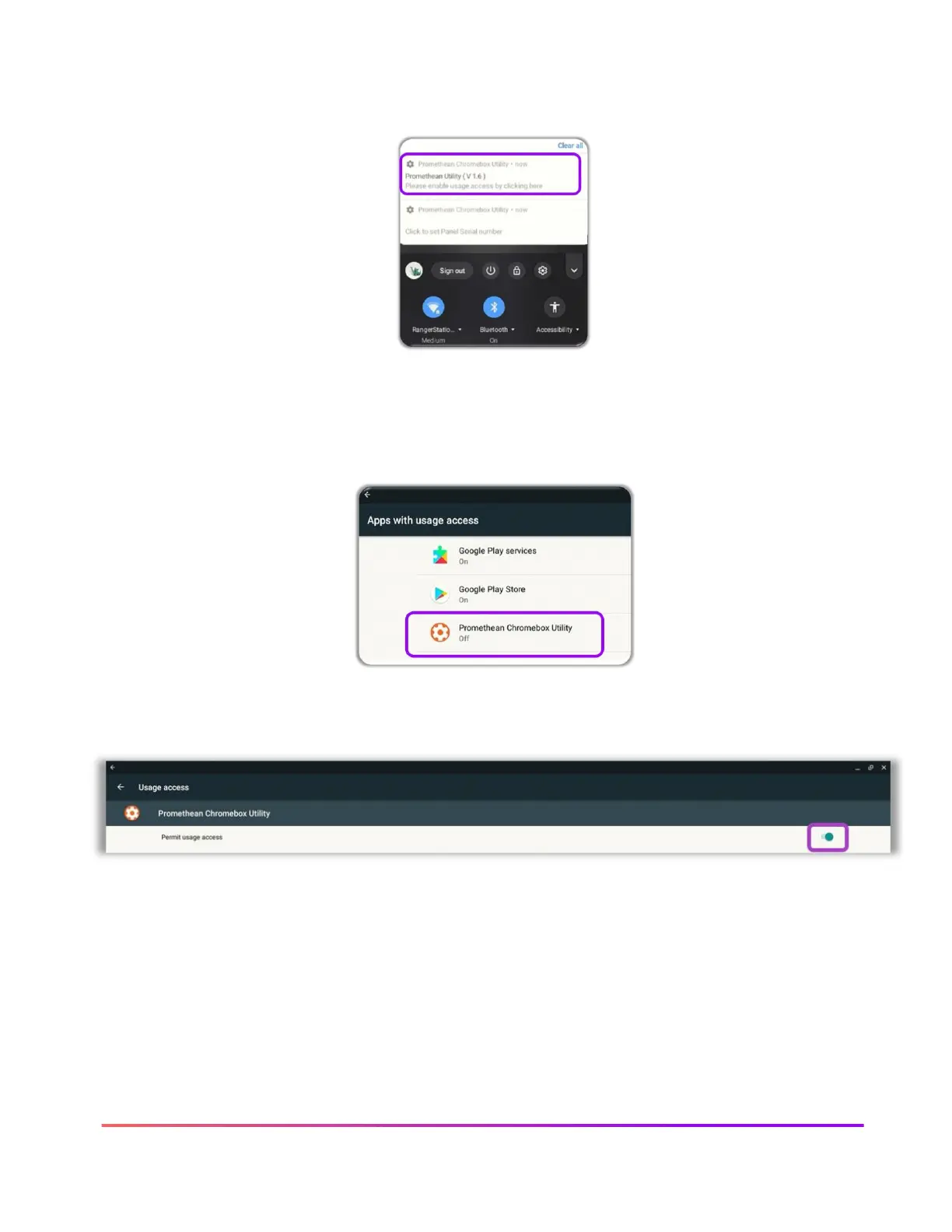
Tap to open the Chromebox notification area at the bottom right of the screen. There will be two
notifications.
One notification will say “Please enable usage access by clicking here” and the second will say
“Click to Set Panel Serial number.” To enable usage access, tap “Please enable usage access by
clicking here.”
Once you tap the notification, you will be taken to a Usage Access settings screen. Select
Promethean Chromebox Utility.
On the next screen, toggle the Panel usage access ON.













 To Next Page