Basicoperation- TurningonandofftheTV
TURN ON LCD TV
1. Connect the AC input cable to power to the LCD TV. At this time the TV will enter standby mode and indicator show red.
2. User POWER button or button on the remote control.
3. Wait 5 second after switching off LCD TV then you can turn on LCD TV again.
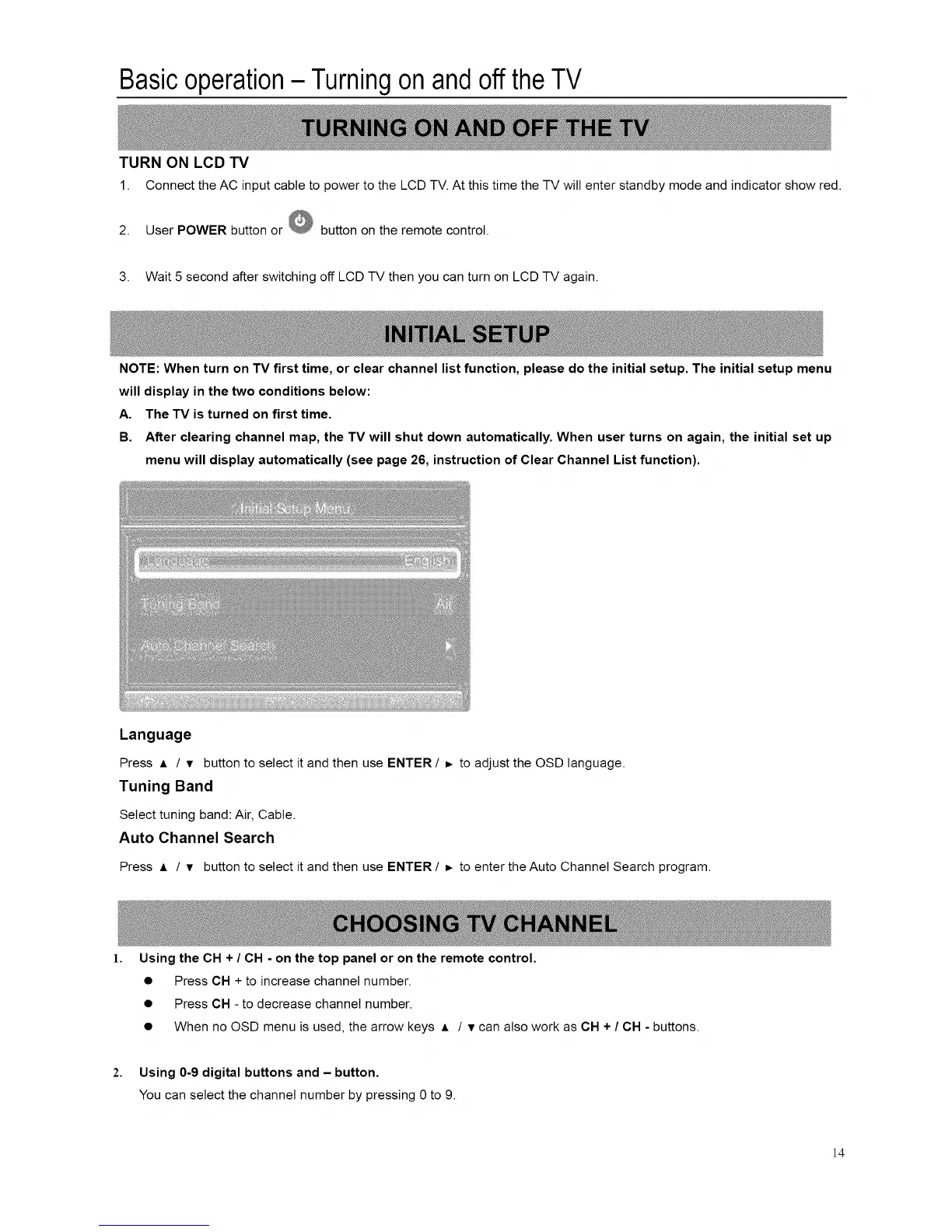
NOTE: When turn on TV first time, or clear channel list function, please do the initial setup. The initial setup menu
will display in the two conditions below:
A. The TV is turned on first time.
B. After clearing channel map, the TV will shut down automatically. When user turns on again, the initial set up
menu will display automatically (see page 26, instruction of Clear Channel List function).
Language
Press A / v button to select it and then use ENTER / _ to adjust the OSD language.
Tuning Band
Select tuning band: Air, Cable.
Auto Channel Search
Press A / v button to select it and then use ENTER / _ to enter the Auto Channel Search program.
1. Using the CH + / CH - on the top panel or on the remote control.
2.
• Press CH + to increase channel number.
• Press CH - to decrease channel number.
• When no OSD menu is used, the arrow keys A / v can also work as CH + / CH - buttons.
Using 0-9 digital buttons and - button.
You can select the channel number by pressing 0 to 9.
]4














 To Next Page