Setupmenuoperation-Adjust the OSDscreen
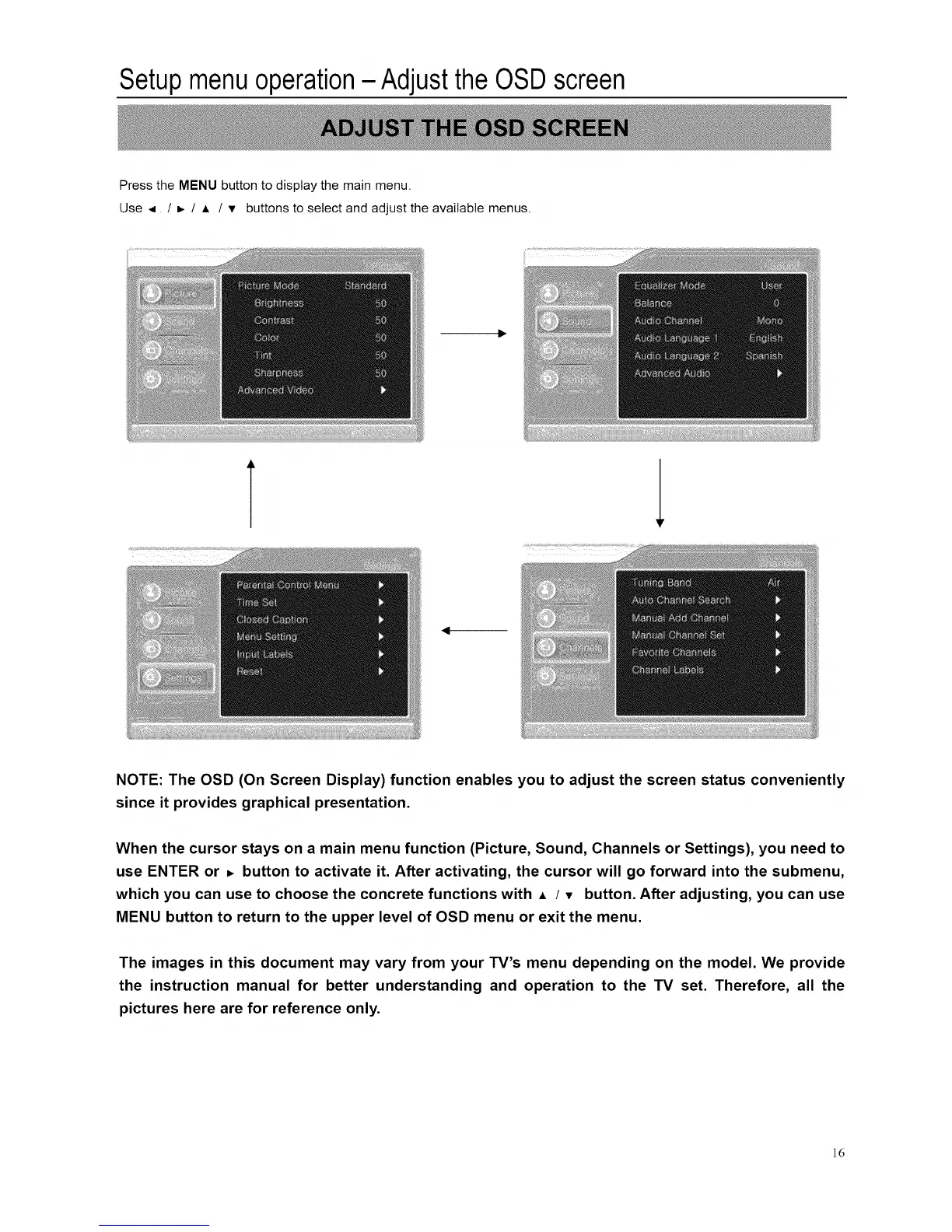
Press the MENU button to display the main menu.
Use _ / _- / A / v buttons to select and adjust the available menus.
T 1
NOTE: The OSD (On Screen Display) function enables you to adjust the screen status conveniently
since it provides graphical presentation.
When the cursor stays on a main menu function (Picture, Sound, Channels or Settings), you need to
use ENTER or _ button to activate it. After activating, the cursor will go forward into the submenu,
which you can use to choose the concrete functions with • / v button. After adjusting, you can use
MENU button to return to the upper level of OSD menu or exit the menu.
The images in this document may vary from your TV's menu depending on the model. We provide
the instruction manual for better understanding and operation to the TV set. Therefore, all the
pictures here are for reference only.
]6














 To Next Page