Setupmenuoperation- Picturemenuoptions
NOTE: In this manual, the OSD (On Screen Display) may be different from your TV's in colors.
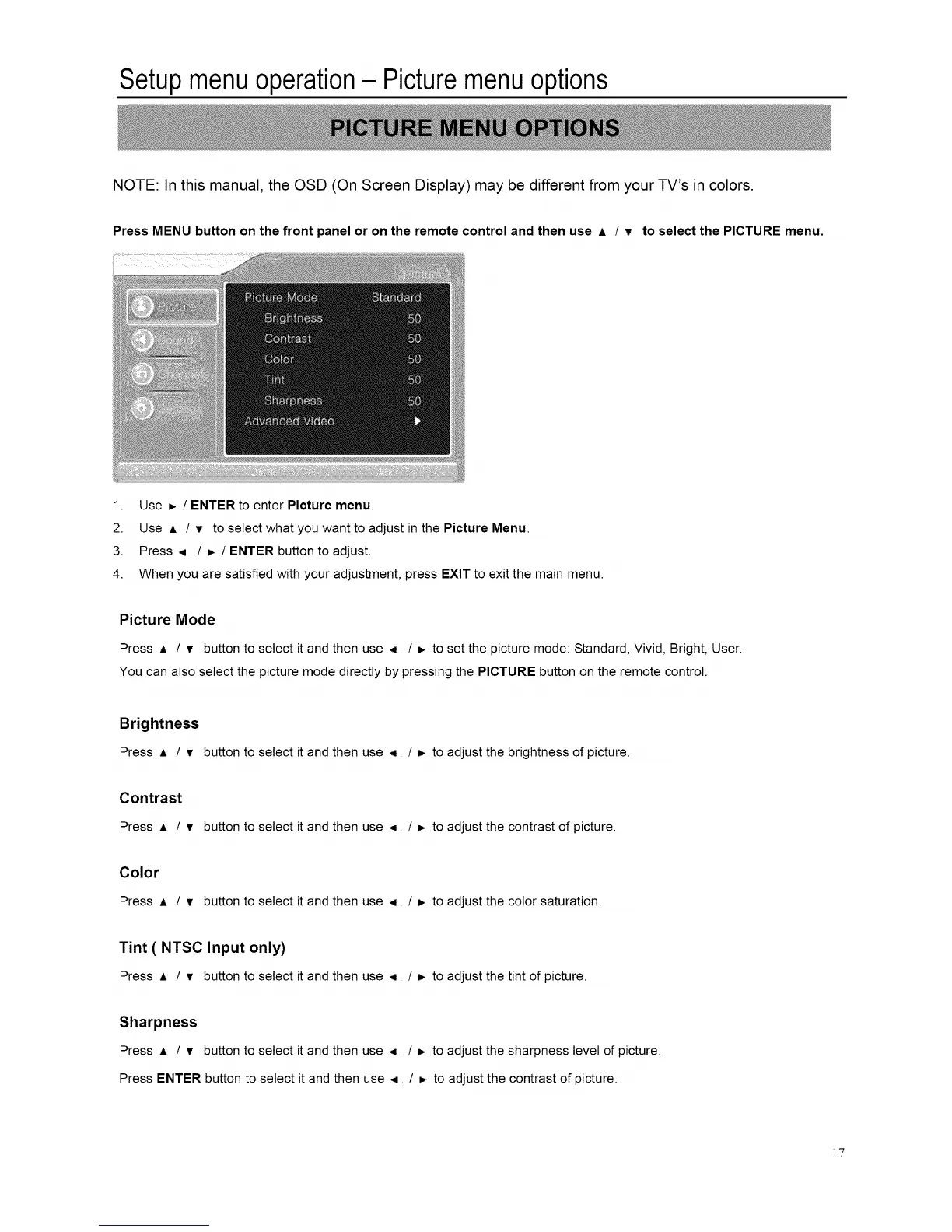
Press MENU button on the front panel or on the remote control and then use A / v to select the PICTURE menu.
1. Use _ / ENTER to enter Picture menu.
2. Use A / v to select what you want to adjust in the Picture Menu.
3. Press ,4 / D, / ENTER button to adjust.
4. When you are satisfied with your adjustment, press EXIT to exit the main menu.
Picture Mode
Press ,1, / • button to select it and then use < / _. to set the picture mode: Standard, Vivid, Bright, User.
You can also select the picture mode directly by pressing the PICTURE button on the remote control.
Brightness
Press • / • button to select it and then use < / _ to adjust the brightness of picture.
Contrast
Press A / • button to select it and then use ,i / _. to adjust the contrast of picture.
Color
Press _, / • button to select it and then use ,4 / _- to adjust the color saturation.
Tint ( NTSC Input only)
Press A / • button to select it and then use < / _, to adjust the tint of picture.
Sharpness
Press A / • button to select it and then use < / _. to adjust the sharpness level of picture.
Press ENTER button to select it and then use <. / D, to adjust the contrast of picture.
]7














 To Next Page