Setupmenuoperation- Picturemenuoptions
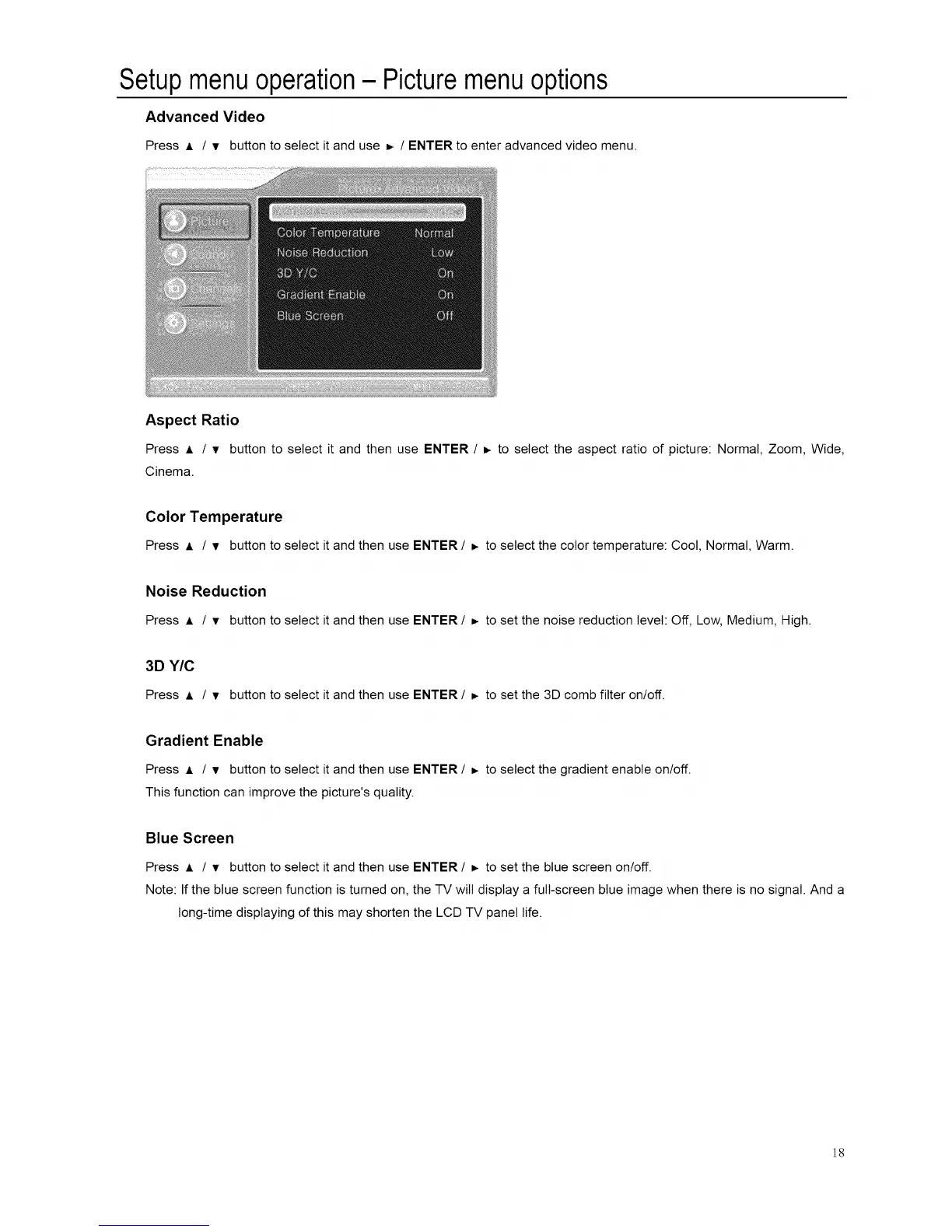
Advanced Video
Press A / v button to select it and use _ / ENTER to enter advanced video menu.
Aspect Ratio
Press A / v button to select it and then use ENTER / _. to select the aspect ratio of picture: Normal, Zoom, Wide,
Cinema.
Color Temperature
Press _ / v button to select it and then use ENTER / =, to select the color temperature: Cool, Normal, Warm.
Noise Reduction
Press A / v button to select it and then use ENTER/ =- to set the noise reduction level: Off, Low, Medium, High.
3D Y/C
Press J, / • button to select it and then use ENTER / _ to set the 3D comb filter on/off.
Gradient Enable
Press A / • button to select it and then use ENTER / D. to select the gradient enable on/off.
This function can improve the picture's quality.
Blue Screen
Press A / • button to select it and then use ENTER / =, to set the blue screen on/off.
Note: If the blue screen function is turned on, the TV will display a full-screen blue image when there is no signal. And a
long-time displaying of this may shorten the LCD TV panel life.
]8














 To Next Page