Setupmenuoperation- VGAmenuoptions
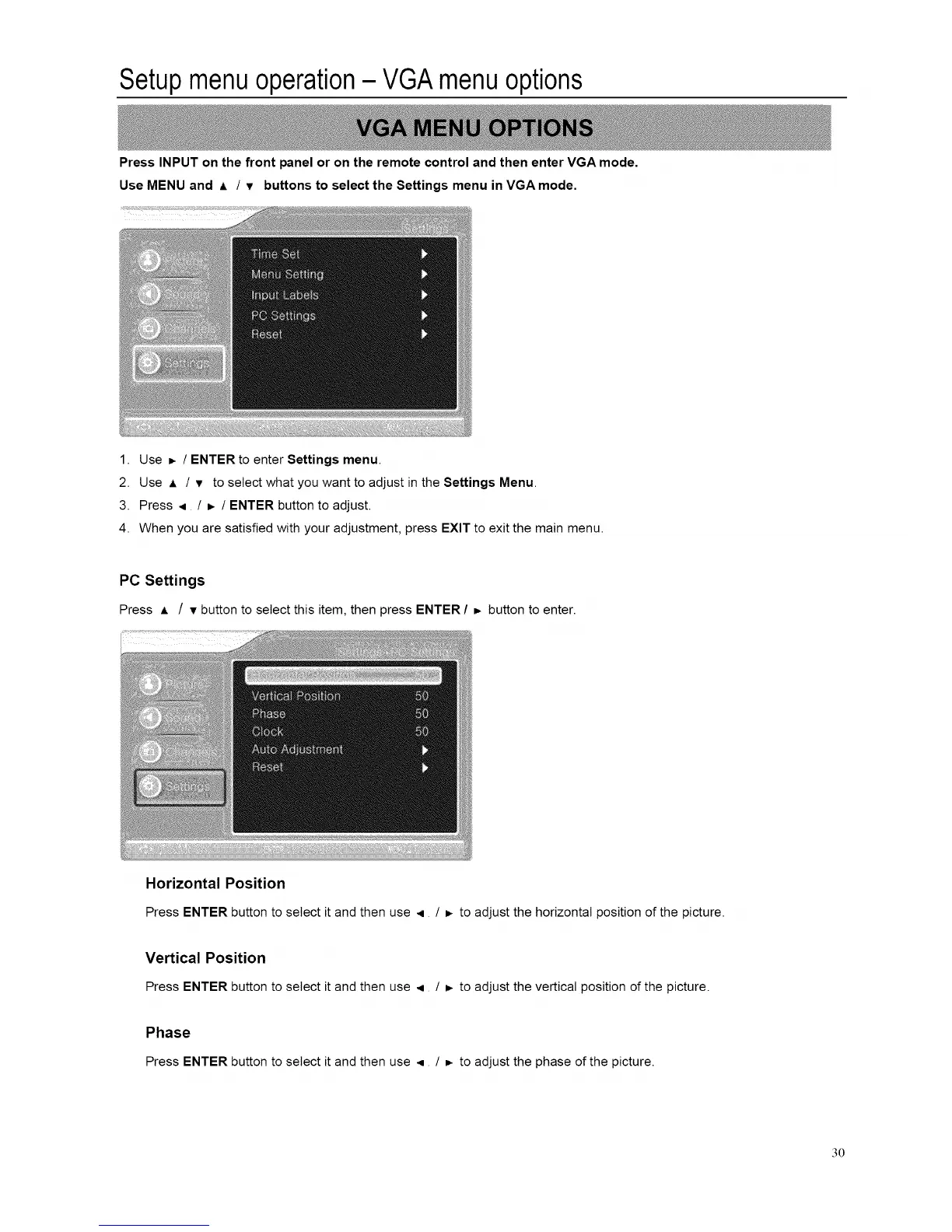
Press INPUT on the front panel or on the remote control and then enter VGA mode.
Use MENU and A / T buttons to select the Settings menu in VGA mode.
1. Use _ / ENTER to enter Settings menu.
2. Use A / v to select what you want to adjust in the Settings Menu.
3. Press _ / =. / ENTER button to adjust.
4. When you are satisfied with your adjustment, press EXIT to exit the main menu.
PC Settings
Press A / v button to select this item, then press ENTER / =- button to enter.
Horizontal Position
Press ENTER button to select it and then use < / _ to adjust the horizontal position of the picture.
Vertical Position
Press ENTER button to select it and then use < / _ to adjust the vertical position of the picture.
Phase
Press ENTER button to select it and then use ,q / _- to adjust the phase of the picture.
3O














 To Next Page