Setupmenuoperation- Settingsmenuoptions
1. Use _, / ENTER to enter Settings menu.
2. Use A / v to select what you want to adjust in the Settings Menu.
3. Press ,i / _. / ENTER button to adjust.
4. When you are satisfied with your adjustment, press EXIT to exit the main menu.
Parental Control Menu
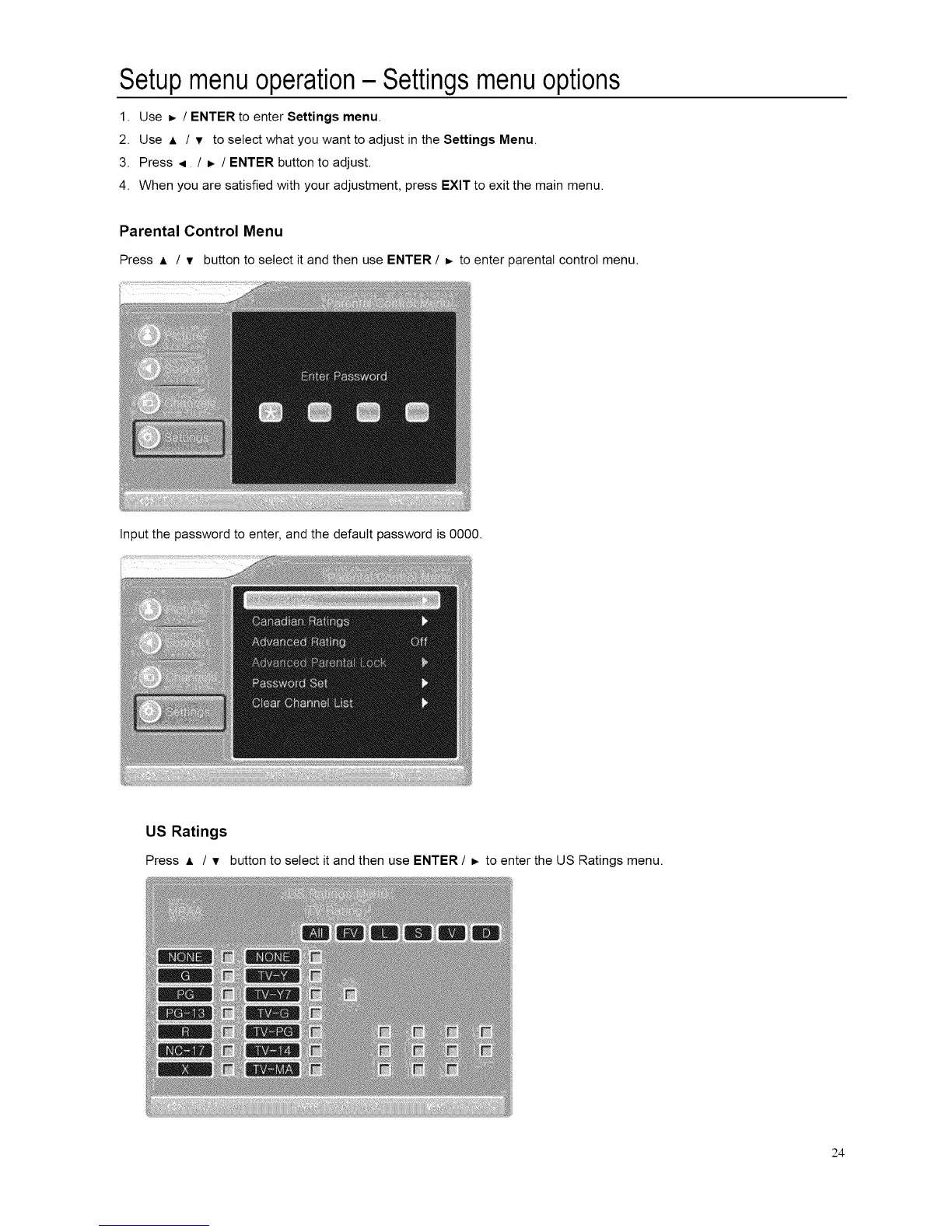
Press A / v button to select it and then use ENTER / D. to enter parental control menu.
Input the password to enter, and the default password is 0000.
US Ratings
Press A / v buttonto select itandthen use ENTER / =, toenterthe US Ratings menu.
24














 To Next Page