EasyManua.ls Logo

Prosonic DVR - Chapter III. Operation Instruction; 3.1 Front panel

Default Icon
92 pages
Print Icon
To Next Page IconTo Next Page
To Previous Page IconTo Previous Page
Loading...
Digital Video Recorder
13
Chapter III. Operation Instruction
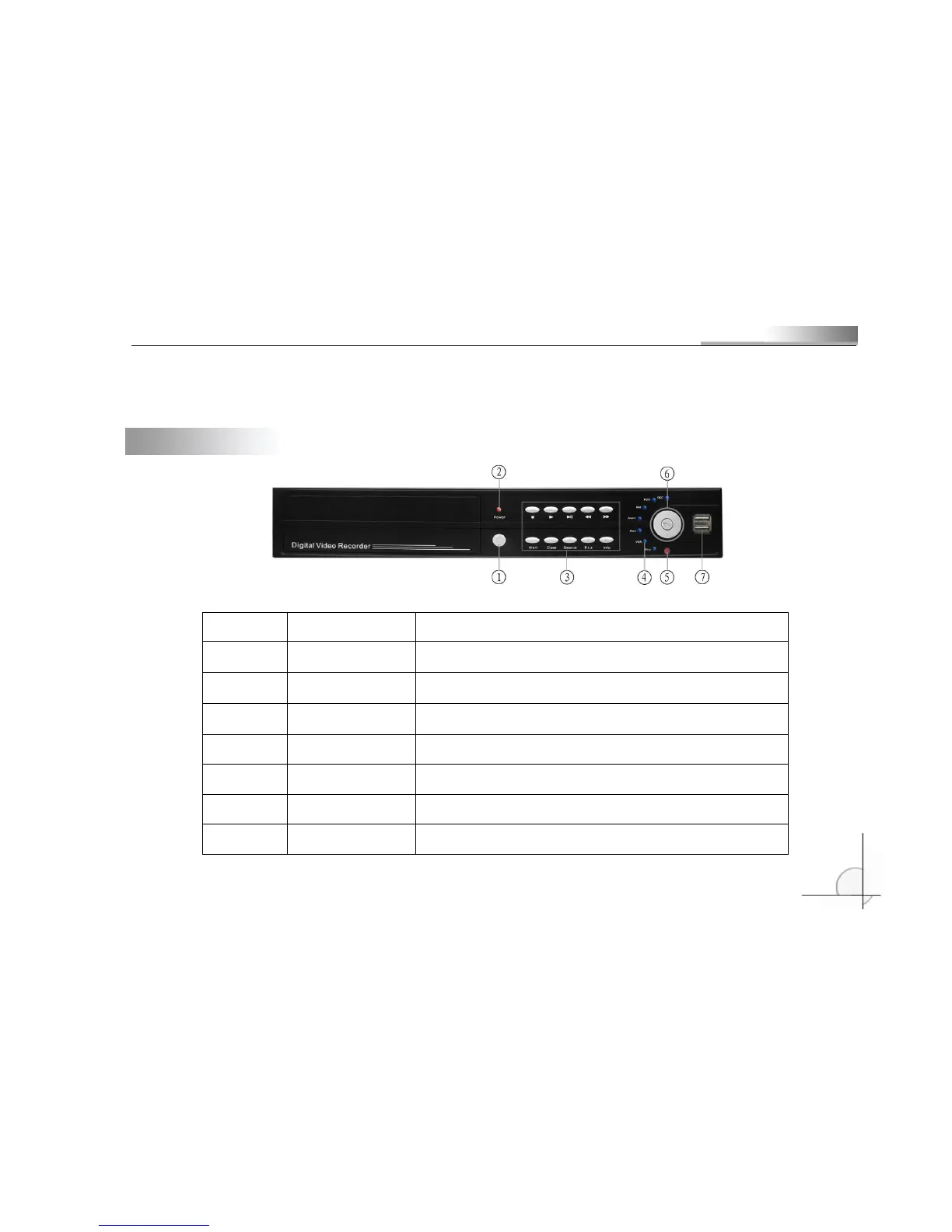
3.1 Front panel
No
Name
Description
1
Power Switch
Control power supply to the device.
2
Indicator Light
The light of power indicator will be on after turn on the power
and blink 1 cyle/s. It will be off after turn off the power.
3
Number Key
Input number 1 ~ 10
4
State Indicator
Indicate the work state of the device. The correlative light will
be on when on correlative work state.
5
Infrared Receiver
Receive the signal from remote controller
6
Menu Key and
Direction Key
PressMenukey to enter operation. Then press updown
leftrightto move the cursor.
7
USB Interface
Connect the USB and CDRW to update the system and
backup. Or operate the USB mouse

Table of Contents