P. 6 User Guide CT-3400 TW
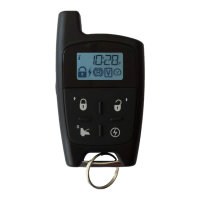
LCD Remote Operation
(First Car Control)
NOTE:
The following section explains the functions the transmitter can provide. If
you wish to exit a function while you are accessing it, simply stop and wait
at least 10 seconds, the transmitter will return to normal.
Basic Vehicle Operations
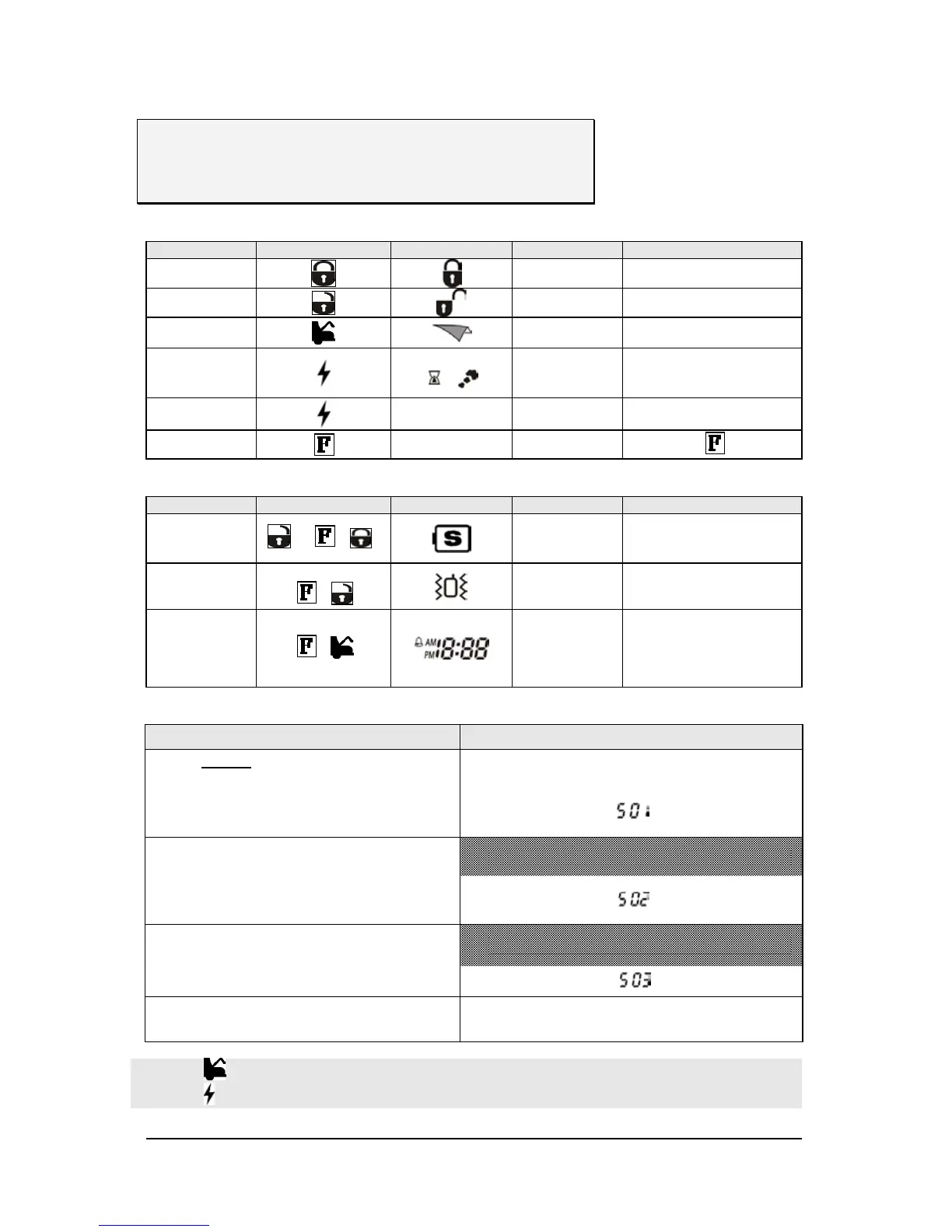
FUNCTION BUTTON PRESSED ICON BUZZER INSTRUCTIONS /DESCRIPTION
LOCK
1 Beep Lock and arm the starter kill
UNLOCK
2 Beep Unlock and disarm the starter kill
TRUNK OR AUX 3
1 Beep Trunk output
START *
(See Runtime
Options below)
+
MELODY Start the engine
STOP
None MELODY Stop the engine
Light ON
ON for 5 seconds
Press
once
Transmitter Mode Selection
FUNCTION BUTTON PRESSED ICON BUZZER INSTRUCTIONS /DESCRIPTION
POWER-SAVING
MODE
+ ( + )
MELODY
Press UNLOCK first and then
press the function button and the
LOCK button simultaneously.
VIBRATION MODE
ON/OFF
PRESS AND HOLD
+
VIBRATES 4X
ALARM CLOCK
MODE ON/OFF
+
MELODY
z Press once to have
ALARM CLOCK ON
z Press twice to have
ALARM CLOCK OFF
Time or Alarm Clock Adjustments
USER
TRANSMITTER
1. Press and hold the FUNCTION button until a beep is
heard
The backlight will turn on the moment the FUNCTION
button is pressed.
2. Upon hearing the beep, release the FUNCTION button,
...................................
is displayed
3. Press and hold the FUNCTION button once more
4. Release the FUNCTION button when a beep is heard,
...................................
is displayed
5. Press and hold the FUNCTION button once more until
a beep is heard,
6. Release the FUNCTION button
...................................
is displayed
7. At that point, press and hold the FUNCTION button until
2 beeps are heard.
.............The hour setting will start to flash.
a. Press the button to increase the value or to activate or deactivate a function or to toggle through the melodies.
b. Press the to decrease the value or to activate or deactivate a function or to toggle through the melodies.



 To Next Page