CT-3400 TW User Guide P. 7
c. To save modifications, do not touch any buttons for approx 10 to 15 seconds. There will be a beep and the display will return
to the time.
Pressing the FUNCTION button
1X........................................Adjust hour (current time)
2X.................................. Adjust minutes (current time)
3X.................................................Adjust hour (Alarm)
4X............................................Adjust minutes (Alarm)
5X...........Melody selection for the ringing of the alarm
6X.................. Activate (ON) / Deactivate (OFF) Alarm
7X......................................... Adjust hour (countdown)
8X.................................... Adjust minutes (countdown)
9X........................ Melody selection for the countdown
10X... Activate (ON) / Deactivate (OFF) countdown
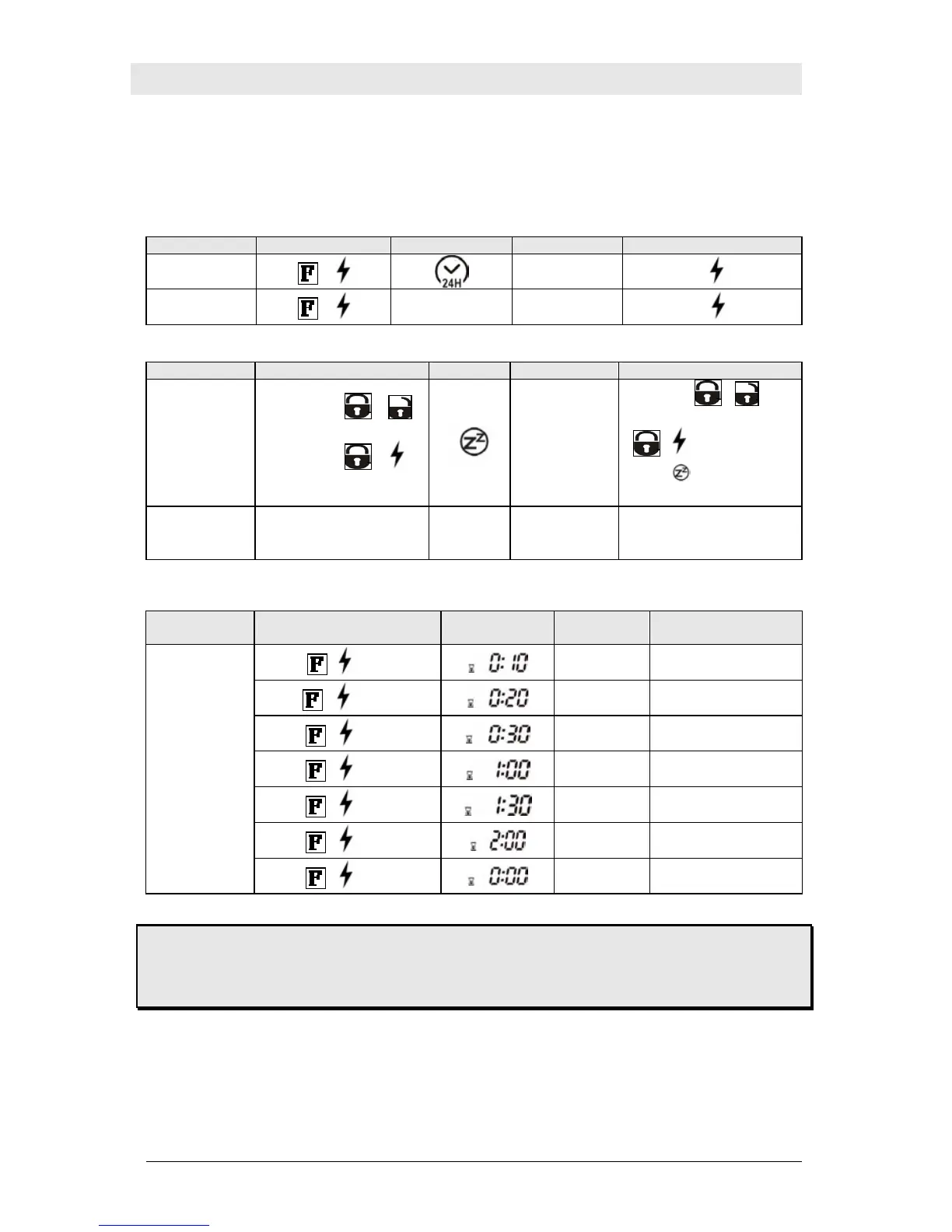
Cold Weather Mode
FUNCTION BUTTON PRESSED ICON BUZZER INSTRUCTIONS /DESCRIPTION
TO ENTER COLD
WEATHER MODE
→
BEEP
Press and hold
for 3 seconds.
TO EXIT COLD
WEATHER MODE
→
None None
Press and hold for 3 seconds
Home Valet™
FUNCTION BY PRESSING ICON BUZZER INSTRUCTIONS / DESCRIPTION
TO ENTER HOME
VALET™ MODE
Step 1 :
or
Step 2 :
+
Simultaneously within 5 sec.
1 BEEP
Press
or
Within 5 seconds, press
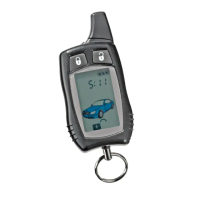
+ : the transmitter will
display
and you will hear 1
beep.
TO EXIT HOME
VALET ™ MODE
NONE NONE NONE
Insert key in ignition switch and
turn to the on position; the icon will
disappear.
Timing Countdown Adjustment
(See “ON PRESS NUMBER” 8 of Alarm and Countdown Adjustment)
FUNCTION
BY PRESSING ICON SOUND
INSTRUCTIONS /
DESCRIPTION
+ 1
st
time
Melody
10 min parking count down
mode
+ 2
nd
time
Melody
20 min parking count down
mode
+ 3
rd
time
Melody
30 min parking count down
mode
+ 4
th
time
Melody
60 min parking count down
mode
+ 5
th
time
Melody
90 min parking count down
mode
+ 6
th
time
Melody
120 min parking count down
mode
FOR PARKING
COUNTDOWN
+ 7
th
time
Melody
Parking count down off
mode
Please NOTE:
Once the countdown is activated it will continue counting down until reaching 0:00. If the timer has not reached
0:00 and you are starting the vehicle, you should reset your countdown timer to 0:00 before starting your
vehicle as to avoid being startled.


 To Next Page