N93-571-87 Issue 5 NH Page 10 of 34 © Protec Fire Detection plc 2019
5.0 6100 Indications and Controls
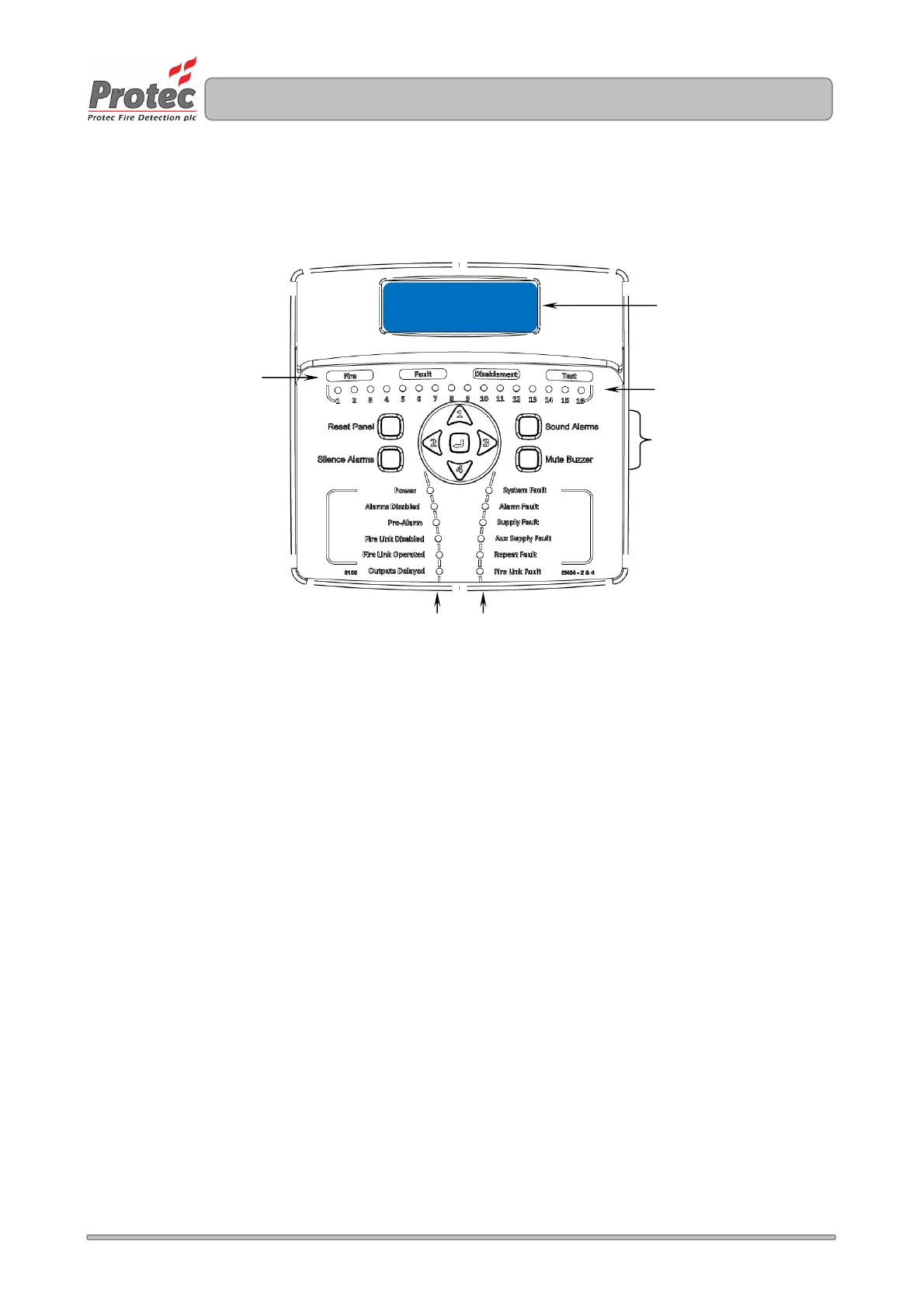
The 6100 has a comprehensive front panel display enabling the current state of the 6100 to be rapidly
determined. Figure 5.0 shows the indications and controls.
Figure 5.0 6100 front panel indications and controls.
5.1 Multifunction Display
The 6100 gives a clear indication of the current status of the 6100 on the Liquid Crystal Display ( LCD ).
Under normal conditions the LCD shows the System Normal screen. This changes to the status display
screen if the 6100 has faults, disablements or tests present.
5.2 General Indications
Row 1 comprises the General Fire, Fault, Disablement and Test indicators. These indications give clear
indication that the 6100 has at least one Fire, Fault, Disablement or Test condition.
5.3 Multifunction Zone Status Indications ( Row 2, first 16 zones only )
Zone fires are indicated when the zone indicator flashes red, and are always accompanied by the General Fire
indicator.
Zone faults are indicated when the zone indicator flashes yellow and are always accompanied by the General
Fault indicator.
Zone disablements are indicated when the zone indicator lights steady yellow and are always accompanied
by the General Disablement indicator.
Zones in test mode are indicated when the zone indicator lights steady yellow and are always accompanied
by the General Test indicator.
5.4 Code Entry and Menu Navigation Keys
The keys in the centre of the 6100 are used to enter the user code ( using keys 1, 2, 3 and 4 ) and are also
used to navigate the menu system.
5.5 Sound Alarms, Silence Alarms, Reset Panel and Mute Buzzer keys
These keys are used to control panel functions. The user code must be entered before the keys become
operational.
CONTROL PANEL



 To Next Page