N93-571-87 Issue 5 NH Page 24 of 34 © Protec Fire Detection plc 2019
15.0 6100 Fire Brigade Panel Operation (Australian Markets)
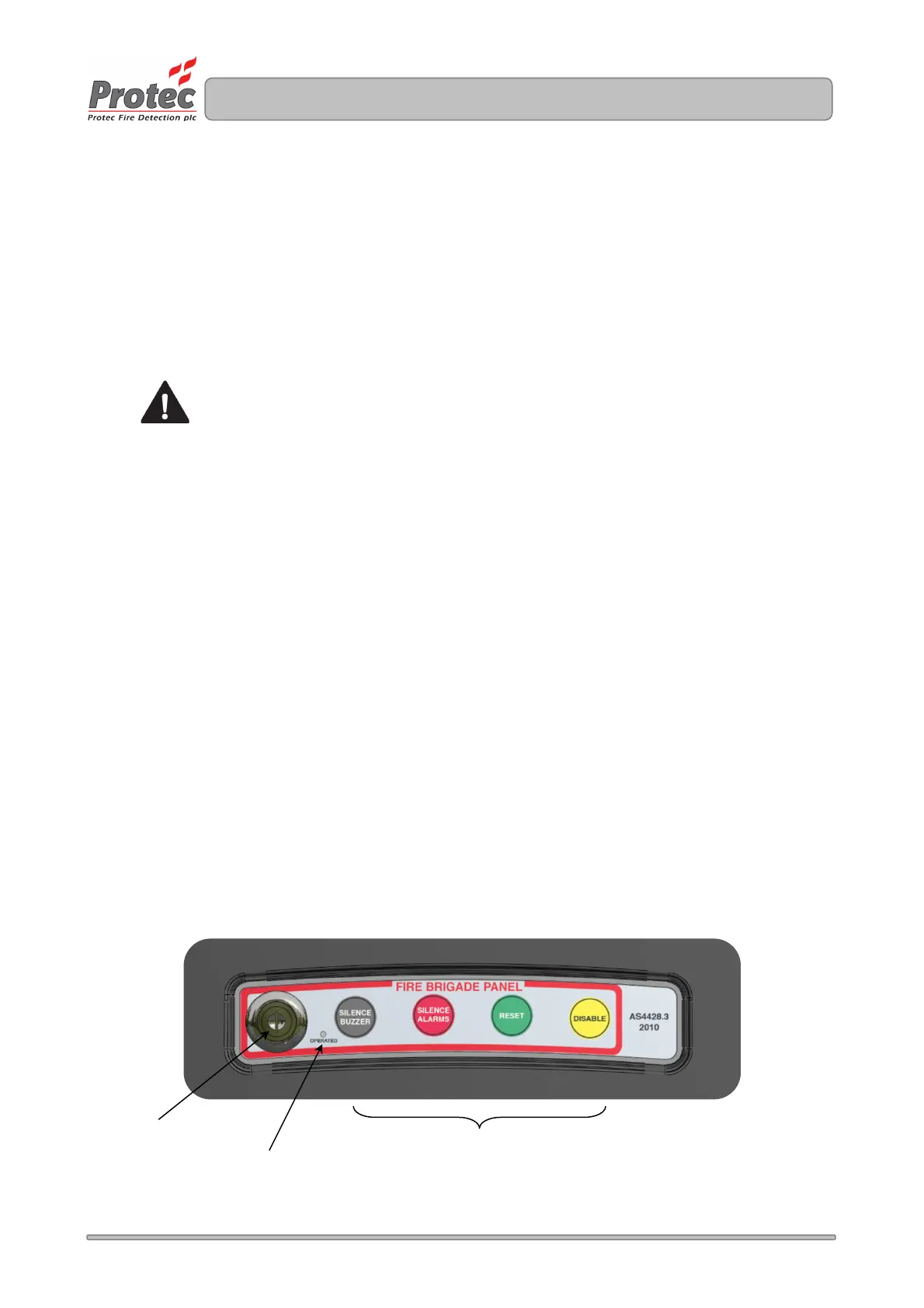
If the 6100 is equipped with the optional Fire Brigade Panel (FBP) controller, illustrated in figure 15.0.
The FBP controls are enabled by use of a special key.
15.1 Enable Key
Operation of FBP controls is inhibited until the key is inserted into the key-switch, and rotated
clockwise by 90 degrees. Confirmation of this is given by illumination of the 'OPERATED' indicator
and audible feedback from the internal buzzer.
Once activated all button controls (detailed below) are available.
If programmed to do so the LCD on the 6100 will turn off upon activation of the FBP
controller.
15.2 Silence Buzzer Button
Momentary pressing of the SILENCE BUZZER button allows the user to silence the audible
indication (internal buzzer) of the 6100.
15.3 Silence Alarms Button
Momentary pressing of the SILENCE ALARMS button allows the user to silence any active alarm
outputs. Subsequent presses of the SILENCE ALARMS button toggles between re-sounding and
silencing any currently active alarms.
15.4 Reset Button
Momentary pressing of the RESET button allows the user to reset the panel following a fire
condition. A panel reset will only occur following a silence of the alarm outputs and should only be
reset after the cause of the alarm has been determined (and entered in the fire alarm log book).
15.5 Disable Button
Momentary pressing of the DISABLE button allows the user to disable any zones that are currently in
a fire condition. A zone disablement is only permitted following a silence of the alarm outputs.
Following a panel reset the zones will require normalising using the panel menus
(refer to section 14.7).
Figure 15.0 Fire Brigade Panel Controller



 To Next Page