INSSTCP0408
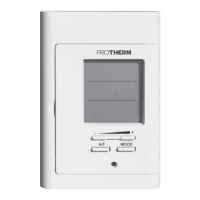
Lock Activation
1. Exit any adjustment mode to manually adjust the set point at
the desired maximum value.
2. Simultaneously press down the + and - buttons during 10 sec-
onds(notethatafter3seconds,theSETiconstartstoblink
and the software version and date are displayed. Continue to
press down these buttons).
3.After10seconds,theLockiconisdisplayedindicatingthatthe
Lock option is activated. Then, release the buttons.
Lock Deactivation
1. To deactivate the lock option, cut off the power supply of the
thermostat at the electrical panel and wait at least 30 sec-
onds.
2. Restore the power supply to the thermostat. The Lock icon will
blinkduringamaximumof5minutes,indicatingthatyoucan
deactivate the Lock option.
3.Simultaneouslypressdownthe+and-buttonsformorethan
10 seconds. The Lock icon will then be hidden indicating that
the lock option is deactivated.
Parameter Backup and Power Failures
The thermostat saves some parameters in its nonvolatile memo-
ry in order to recovered them when power is restored (e.g. after
a power failure). These parameters are the current Man/Auto/
Pre-Prog mode, the hour and the day of the week, the Auto
mode programming (either from the Ambient or Floor mode),
themaximumoortemperature(28or35°C),thelastselected
programming of the Pre-Prog mode, the Ambient/Floor mode,
the Celsius/Fahrenheit mode, the last effective set point, the lock
mode and the maximum lock set point.
As mentioned above, the thermostat can detect a power failure. In
such a case, the adjustments described are automatically saved


 To Next Page