REFLEX RAIL™ BOARD
SETTINGS AND FUNCTIONS
CONFIGURATION MODE - The following settings can only be
modifi ed in confi guration mode. To activate the confi guration
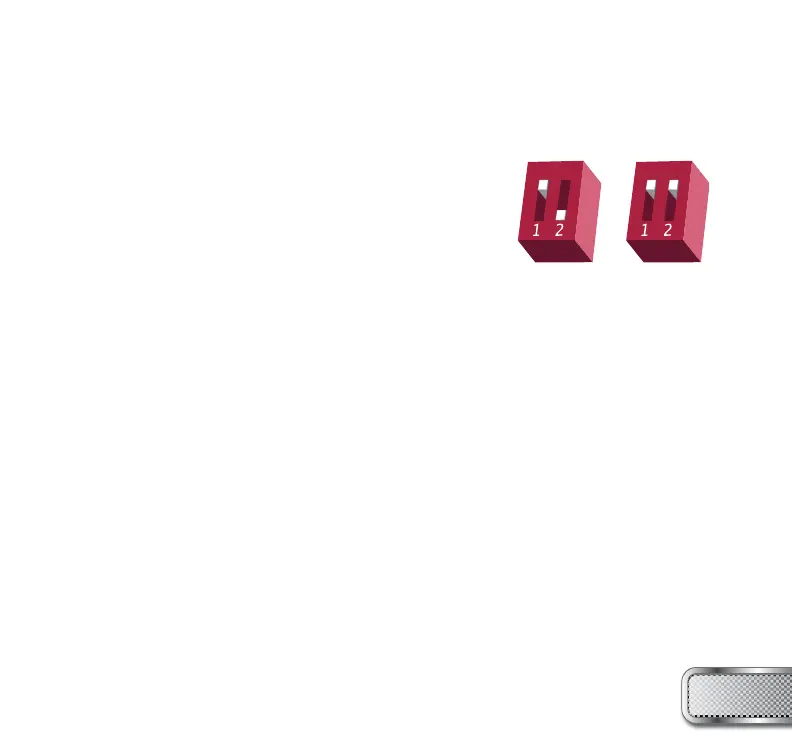
mode, turn your marker off and set DIP switch 2 to the ON
position. Next, turn your marker on. The LED’s cycle through
all colors for one second to indicate that you have entered
the confi guration mode.
To cycle through different settings, pull and release the trigger.
Confi guration mode has 4 settings that can be changed.
TO CHANGE A VALUE OF A SETTING
1. While in the confi guration mode, choose the color you wish to change by pulling the trigger to
cycle through different options.
2. When the LED indicates the color you wish to change, pull and hold the trigger until the LED
starts to fl ash.
3. The LED will fl ash as many times as the previous setting was and it will then turn off. Now pull
the trigger as many times as you wish the new setting to be – if you do not wish to alter the value
of the setting, you must re-enter the previous setting.
4. When done, the LED will cycle through all the colors again to indicate setting was saved and
turn back to green. You can now change another setting or quit the confi guration mode.
5. To exit confi guration mode, set DIP 2 to the off position.
W W W . P R O T O P A I N T B A L L . C O M
9
NORMAL
MODE
CONFIGURATION
MODE



 To Next Page