REFLEX RAIL
™
BOARD
SETTINGS AND FUNCTIONS
TURNING THE REFLEX RAIL™ ON AND OFF
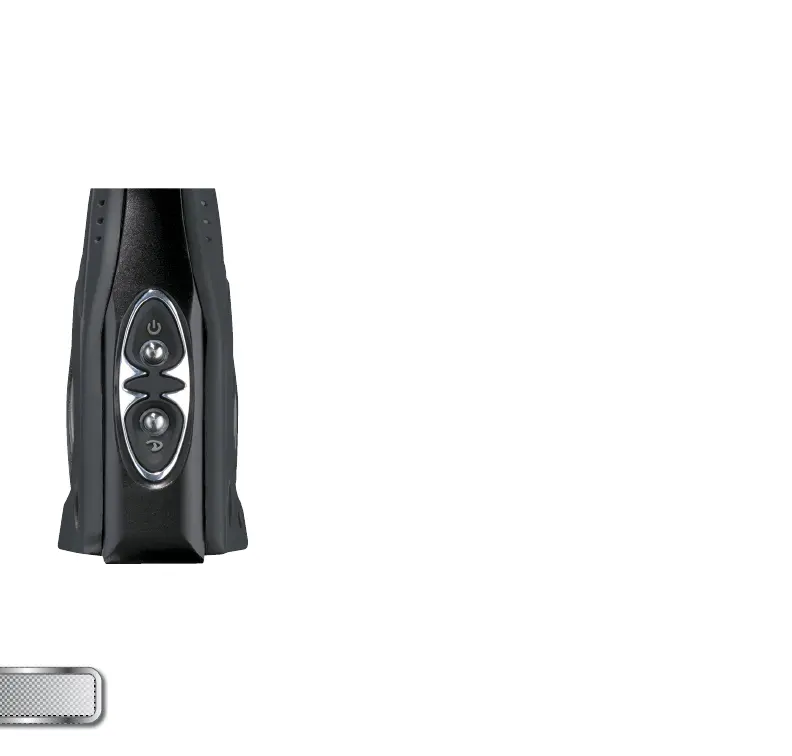
To turn on the REFLEX RAIL™, press and hold the power
button until the LED’s turn blue. The blue light indicates
board boot up. After the boot up sequence, the LED’s will
turn either RED (no ball) or GREEN (ball in breach, ready
to fi re). To turn the REFLEX RAIL™ off, press and hold the
power button until the LED’s turn off.
NOTE: The REFLEX RAIL™ automatically switches off after
10 minutes of non-use.
FIRING THE REFLEX RAIL™
As soon as the marker is turned on and the LED’s turn from
blue to either red or green, the REFLEX RAIL™ is ready to
fi re. If there is no ball and the LED’s are RED, you need to
hold the trigger for 1 second to force the REFLEX RAIL™
to fi re once. If there is a paintball inside the breech and the
LED is green, just press the trigger to fi re the marker.
LED LIGHT INDICATOR
The REFLEX RAIL™ uses two super bright LED’s mounted on
the circuit board inside the grip frame. These two lights are
used to provide information to the user about the REFLEX
RAIL™. They will always show the same information and it
does not matter which LED you look at. One is mounted
behind the PROTO™ logo on the left side of the grip panel.
The other one can be seen by looking at the top left side of
the grip frame while holding the REFLEX RAIL™ in the position
you would while playing a game.
W W W . P R O T O P A I N T B A L L . C O M
6



 To Next Page