EN
DE
VERBINDEN CONNECT
Day-to-day use of an existing Protos® Intercom Network
Day-to-day operation of the BT Com in an existing Protos® Intercom Network:
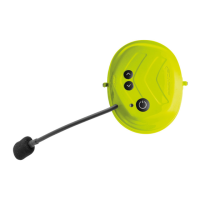
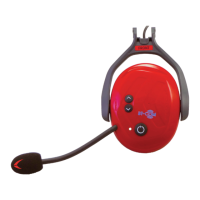
1.) Turn on all BT Com communication earmuffs
Press the multifunction button (4) for 3 sec. on all earmuffs. An ascending signal will
sound and the LED (3) will flash 2x red every 3 sec..
2.) Connect into a known Network
For all earmuffs to be connected, press the up button (1) for 2 sec.. Hereby the order of
the earmuffs doesn’t matter. The LED (3) will flash green.
3.) Disconnect a BT Com earmuff from the Network
To disconnect a communication earmuff from the Network, press the up button (1) for
about 3 sec. until a descending signal sounds. The capsule is now disconnected from
the Network.
To reconnect, press the up button (1) again until an ascending signal sounds.
4.) Mute
Press the multifunction button (4) shortly to mute the BT Com. You will hear a descend-
ing signal. To disable the mute function please press the multifunction button again
(4)!
Täglicher Gebrauch eines Protos® Intercom Netzwerks
Tägliche Inbetriebnahme der BT Com Kapseln mit bestehendem Protos® Netzwerk:
1.) Alle BT Com Kapseln einschalten
Bei allen im Einsatz befindlichen Kapseln die Multifunktionstaste (4) 3 Sek. lang drü-
cken. Es ertönt ein aufsteigendes Signal; die LED (3) blinkt alle 3 Sek. 2x rot.
2.) Verbinden in ein bekanntes Netzwerk
Bei allen zu verbindenden Kapseln 3 Sek. lang die Aufwärtstaste (1) drücken. Die Rei-
henfolge der Kapseln spielt dabei keine Rolle. Die LED (3) blinkt grün.
3.) Verlassen des Netzwerks
Um eine Kapsel aus dem Netzwerk zu trennen, betätigen sie die Aufwärtstaste (1) ca.
3 Sek. lang, bis ein absteigendes Signal ertönt! Die Kapsel ist nun vom Netzwerk ge-
trennt. Um sie erneut zu verbinden, drücken sie abermals die Aufwärtstaste (1) - siehe
Punkt 2.) - bis ein aufsteigendes Signal ertönt.
4.) Stummschaltung
Sie können das BT Com stumm schalten, indem Sie die Multifunktionstaste (4) kurz
gedrückt halten. Es ertönt ein absteigendes Signal. Um die Stummschaltung aufzuhe-
ben, drücken Sie erneut kurz die Multifunktionstaste (4)!
18 19
HINWEIS: Falls seit der letzten Kopplung ein “Reset” durchgeführt wurde, muss
eine Neuerstellung des Netzwerkes erfolgen. Setzen Sie alle Geräte im Netzwerk
zurück und führen Sie die Schritte unter “Verbinden - Inbetriebnahme Intercom
Netzwerk” (S. 16) aus!
NOTE: If a “Reset” has been carried out since the last coupling, the network must
be set up again. To do this, reset all devices and follow the steps under “Connect -
Set up of a new Intercom Network” (page 17).


 To Next Page
 Loading...