EN
DE
GRUNDLAGEN BASICS
Einschalten
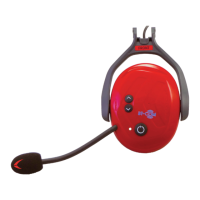
Drücken Sie die Multifunktionstaste (4)! Es ertönt ein aufsteigendes Signal und die
LED (3) blinkt 2x rot alle 2 Sek.
Lautstärkereglung
Betätigen Sie kurz die Aufwärtstaste (1), um die Lautstärke zu erhöhen, oder die Ab-
wärtstaste (2), um die Lautstärke zu reduzieren! Es ertönt jeweils ein kurzes Bestäti-
gungssignal. Bei jeder Betätigung wird die Lautstärke um eine Stufe lauter bzw. leiser.
Bei maximaler oder minimaler Lautstärke ertönt ein langes Tonsignal.
Stummschaltung
Um das Mikrofon stumm zu schalten, drücken sie kurz die Multifunktionstaste (4)!
Dies wird durch eine Tonfolge bestätigt. Erneutes Antippen reaktiviert das Mikrofon.
Diese Funktion ist nur während eines Anrufs oder im Protos® Intercom Netzwerk
verfügbar.
Verlassen des Netzwerkes
Um ein BT Com aus dem Netzwerk zu trennen, betätigen sie die Aufwärtstaste (1) ca.
3 Sek. lang! Ein absteigendes Signal ertönt. Zum erneuten Verbinden, drücken Sie
wiederum die Aufwärtstaste (1)! Ein aufsteigendes Signal ertönt.
Ausschalten
Drücken Sie lange die Multifunktionstaste (4)! Es ertönt ein Mehrfachsignal. Die LED
(3) leuchtet 2 Sek. rot auf und erlischt anschließend.
Power On
Press the multifunction button (4). You will hear an ascending signal and the LED (3)
flashes 2x red every 2 sec.
Volume + / -
Briefly press the up button (1) to increase or down button (2) to decrease the volume.
A short confirmation signal sounds. Each click increases the volume by one level. When
the maximum or minimum volume is reached a long signal sound will be audible.
Mute
To mute the microphone, briefly press the multifunction button (4). This will be con-
firmed by a tone sequence. Press again to reactivate the microphone.
This function is only applicable in combination with a call or in the Protos® Intercom
Network.
Access the network
To disconnect a BT Com from the Protos® Intercom Network press the up button (1) for
approx. 3 sec. A descending signal will confirm the selection. To re-connect, press the
up button (1) again and an ascending signal will sound for confirmation.
Power Off
Press the multifunction button (4) for a long time until a signal is audible. The LED (3)
lights up red for 2 sec. and then turns off.
10 11


 To Next Page
 Loading...