EN
DE
MONTAGE MOUNTING
Mounting of the BT Com muff into the Protos® Integral
To mount the BT Com muff correctly into your Protos® Integral please follow the
instructions below:
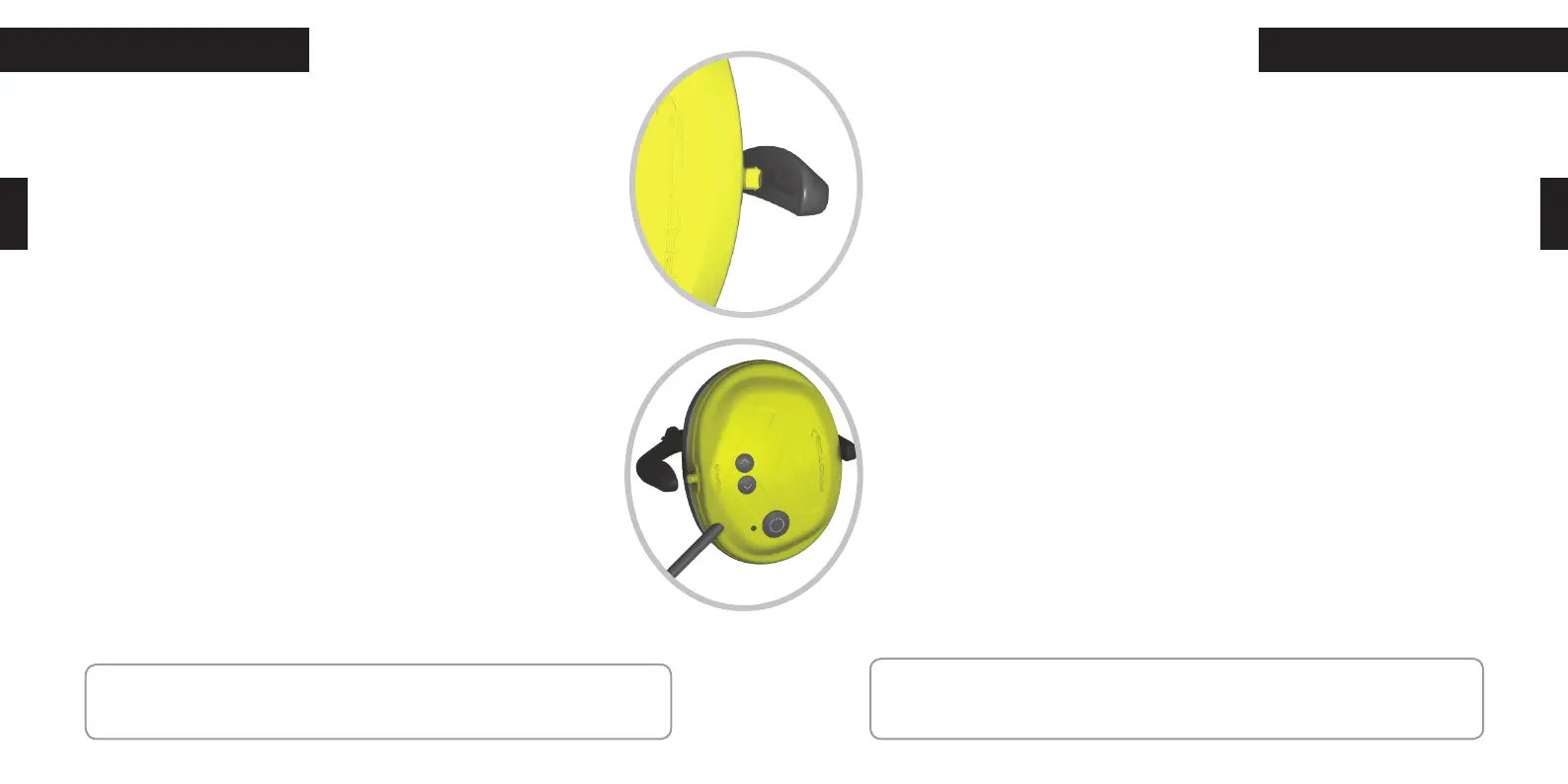
1.) Remove the left ear protector earmuff from the Protos® Integral by swivelling it
to an angle of 90° to the bracket arm. The ear muff can only be removed in this 90°
position and by pressing the side bracket arm away from the earmuff (see picture on
the left).
2.) Proceed now in reverse order to insert the BT Com. Place it at a 90° angle into the
bracket arm. Then rotate the muff into the straight position
3.) You can adjust the fitting of your BT Com on the ear by pushing the earmuff in the
bracket arm up or down.
4.) To charge the battery of your BT Com please remove the BT Com earmuff by swiv-
elling it to a 90° angle and pressing the side bracket arm away.
In case you have the Protos® Integral Head Protection you can position the BT Com in
3 ways: operation position, venting position and parking position. Please be aware that
communication only works in operation position.
Montage der BT Com Kapsel in den Protos® Integral
Um die BT Com Kapsel in Ihren Protos® Integral fachgerecht einzubauen,
beachten Sie bitte folgende Schritte!
1.) Entfernen Sie die linke Gehörschutzkapsel des Protos® Integral, indem
Sie diese in den Winkel von 90° zum Bügelarm schwenken. In dieser
Stellung kann die Kapsel durch Aufbiegen der Bügelarme (siehe Bild)
entnommen werden.
2.) Setzen Sie nun in umgekehrter Reihenfolge das BT Com im 90° Winkel
in den Bügel ein und bringen Sie die Kapsel dann zurück in die senkrechte
Position.
3.) Sie können die BT Com Kapsel an Ihr Ohr feinjustieren, indem Sie diese
im Bügel beliebig nach oben oder unten verschieben.
4.) Für das Laden des BT Com entnehmen Sie die Kapsel indem Sie diese
erneut 90° schwenken und die Bügelarme leicht auseinanderbiegen.
Den BT Com können Sie in drei Stellungen im Protos® Integral Kopfschutz
positionieren: Betriebsstellung, Lüftungsstellung und Parkposition. Ledig-
lich in der Betriebsstellung ist die Kommunikation möglich.
NOTE: The charging bracket arm is for charging purposes only. Never try to place
the charging bracket arm into your Protos® Integral!
HINWEIS: Der USB-Ladebügel ist ausschliesslich zum Laden der Batterie des
BT Com gedacht und darf unter keinen Umständen in den Protos® Integral
eingesetzt werden!
28 29


 To Next Page
 Loading...