5.3.2 Record Bitrate
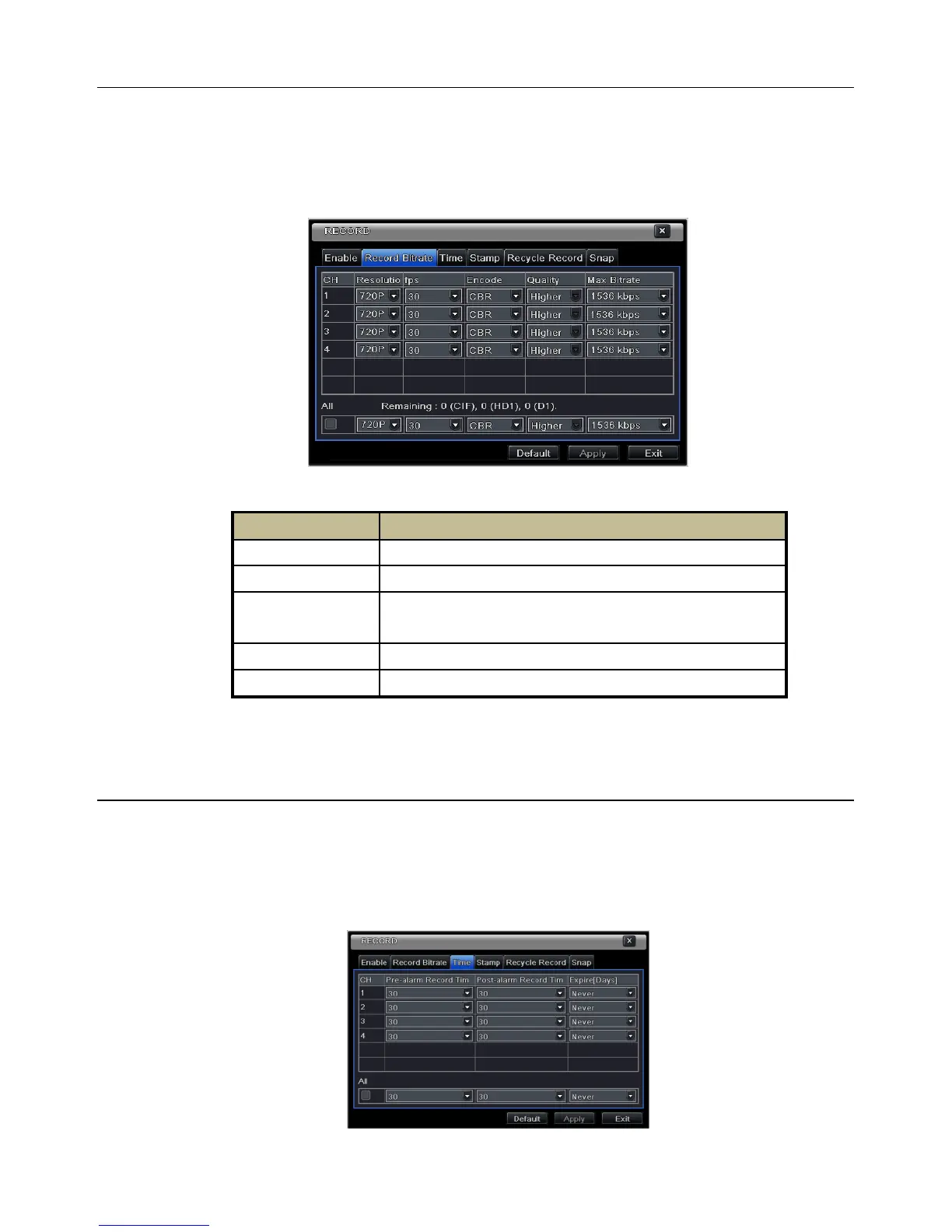
Step 1: Enter into MenuSetupRecord Record Bitrate. Refer to Fig 5-11:
Step 2: Set up rate, resolution, quality, encode and max bit stream.
Step 3: Select “All” to set the same settings for all channels.
Step 4: Click “Apply” button to save the setting.
Fig 5-11 Record Configuration-Record Bitrate
If the value of the parameter is set to exceed the maximum resources of the system, the system will
automatically adjust it.
5.3.3 Time
Step 1: Enter into MenuSetupRecord Time interface to set recording time. Refer to Fig 5-12:
Step 2: Set Pre-alarm record time and post-alarm record time. Select “All” to set the same settings for all
channels.
Step 3: Click “Apply” to save the setting.
Fig 5-12 Record Configuration-Time
The higher the value is, the clearer the recorded image is. Six options:
lowest, lower, low, medium, higher and highest.



 To Next Page