8.9 By Devices with iOS
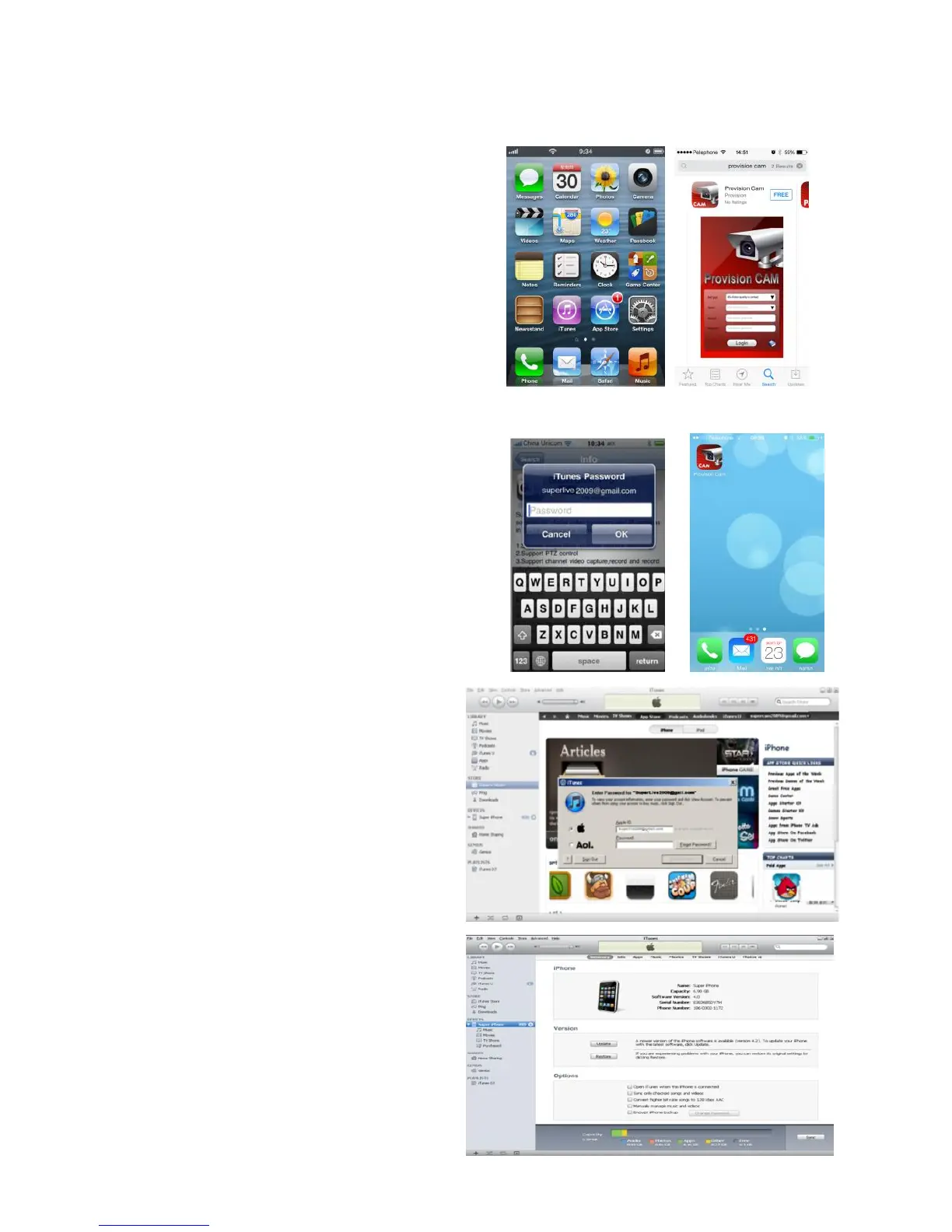
Install through iPhone.
Step 1: Open App Store software as shown in the figure on
the left.
Step2: Search “Provision Cam” and click “Get” button as
shown in the figure on the right.
Step 3: Click “Install App” button as shown in the figure on
the left.
Step 4: Input iTunes Store password and then click “OK”.
The software will be installed automatically.
Install Software through PC
Step 1: Install iTunes store in PC and then
login.
Step 2: Connect iPhone and PC.
Step 3: Search “Provision Cam” and select it.
Step 4: Click “Download” button.
Step 5: Input username and password.
Step 6: Synchronously apply "Provision Cam"
software to iPhone/iPad.


 To Next Page