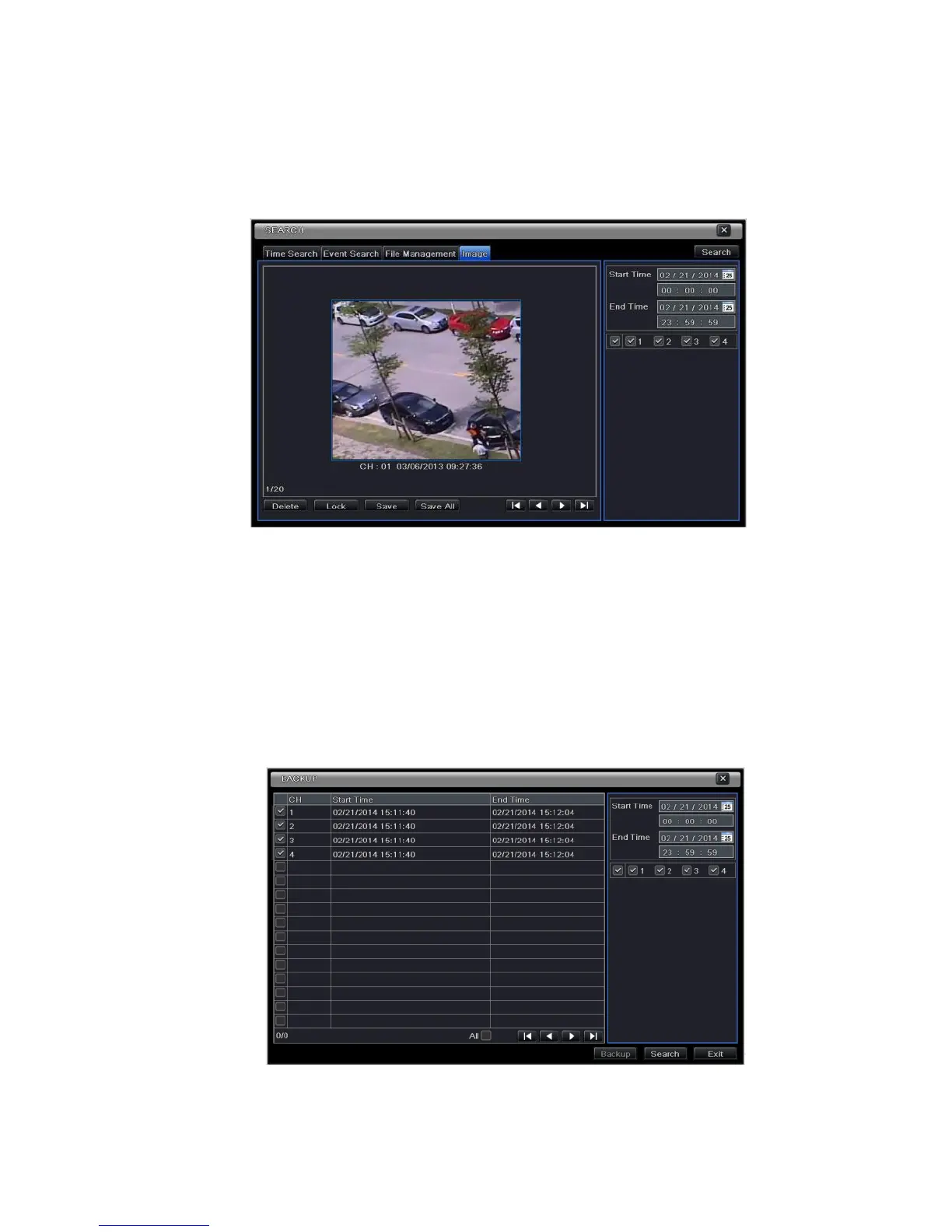
6.4 Search by Image
Step 1: Enter into Menu Search Image tab.
Step 2: Select data and channels on the right hand side.
Step 3: Press “Search” button to search for a recorded image.
Step 4: Once an alarm image has been identified, the user can double click the image to play recording.
Fig 6-4 Search Configuration-Image
6.5 Backup
This unit supports backup by built-in SATA DVD Writer with USB Flash. You can also make backup by IE
browser via internet (see section 8.3.2 Remote backup).
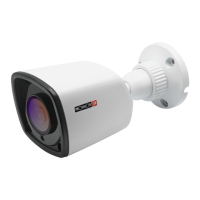
Step 1: Enter into backup configuration. Refer to Fig 6-5:
Step 2: Set the start & end time, select channels and click Search button to display the searched data in
the data backup list box.
Fig 6-5 Backup Configuration
Step 3: Select a required file or checkmark “All” to select all data files. Click Backup button to display
Backup information window.



 To Next Page