6 Search, Playback & Backup
Search configuration includes four submenus: time search, event search, file management and image.
6.1 Time Search
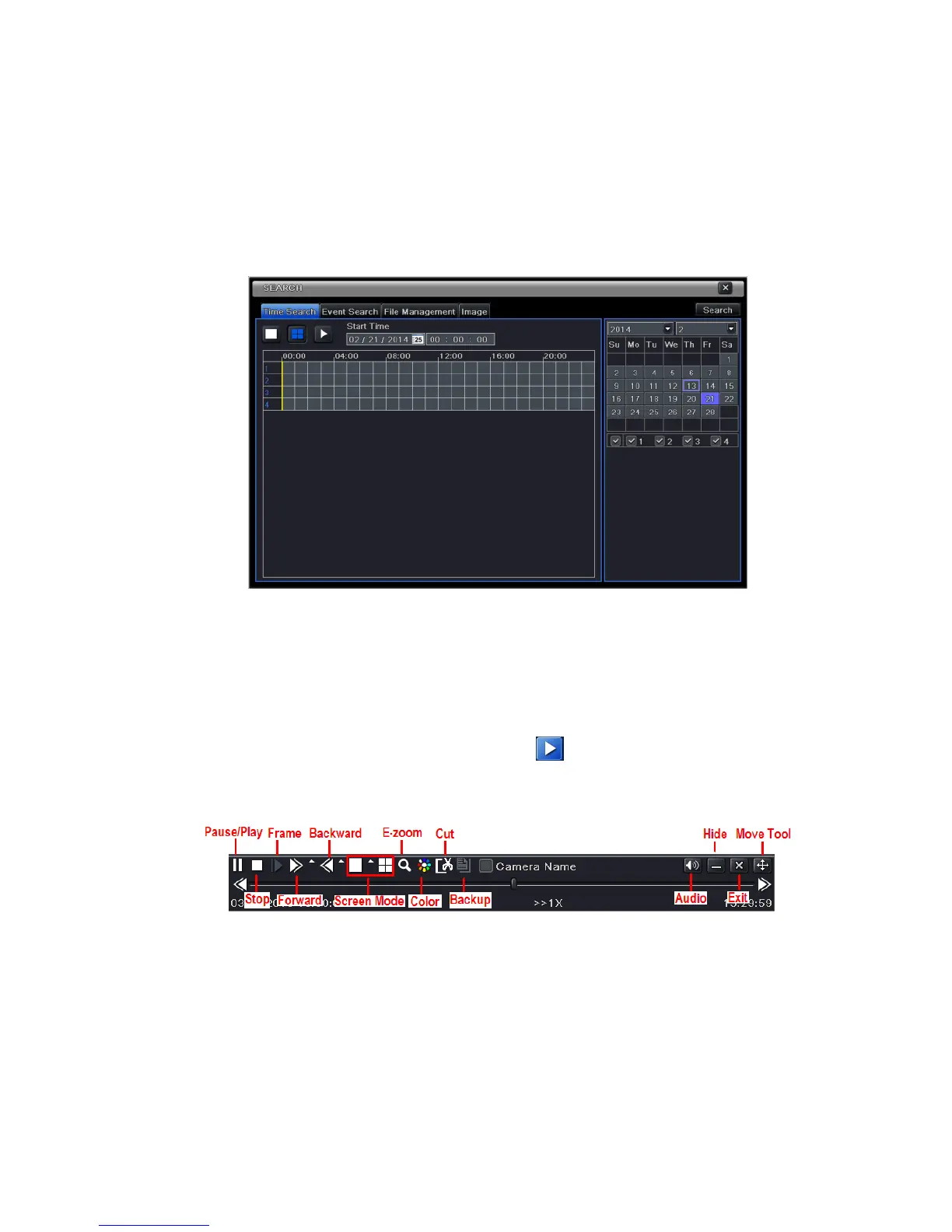
Step 1: Enter into MenuSearch Time Search. Refer to Fig 6-1:
Fig 6-1 Search Configuration-Time Search
Step 2: Select date and channels on the right hand side and press the ‘Search’ button. A date with
highlighted borderline indicates presence of data.
Step 3: Set the start time by clicking a particular grid or by entering the specific value in the start time
field.
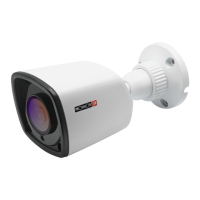
Step 4: Select the channel display mode and click Play button to play record. Use the playback
toolbar to control the playback.
6.2 Event Search
Step 1: Enter into MenuSearchEvent Search button. Refer to Fig 6-2:
Step 2: Select date and channels on the right hand side. A data with highlighted borderline indicates
presence of data.
Step 3: Checkmark Motion, Sensor or All accordingly.
Step 4: Click Search button to display the searched event information in the event list box.
Step 5: Double check a certain record file to playback.


 To Next Page