8.5.2 Remote Backup
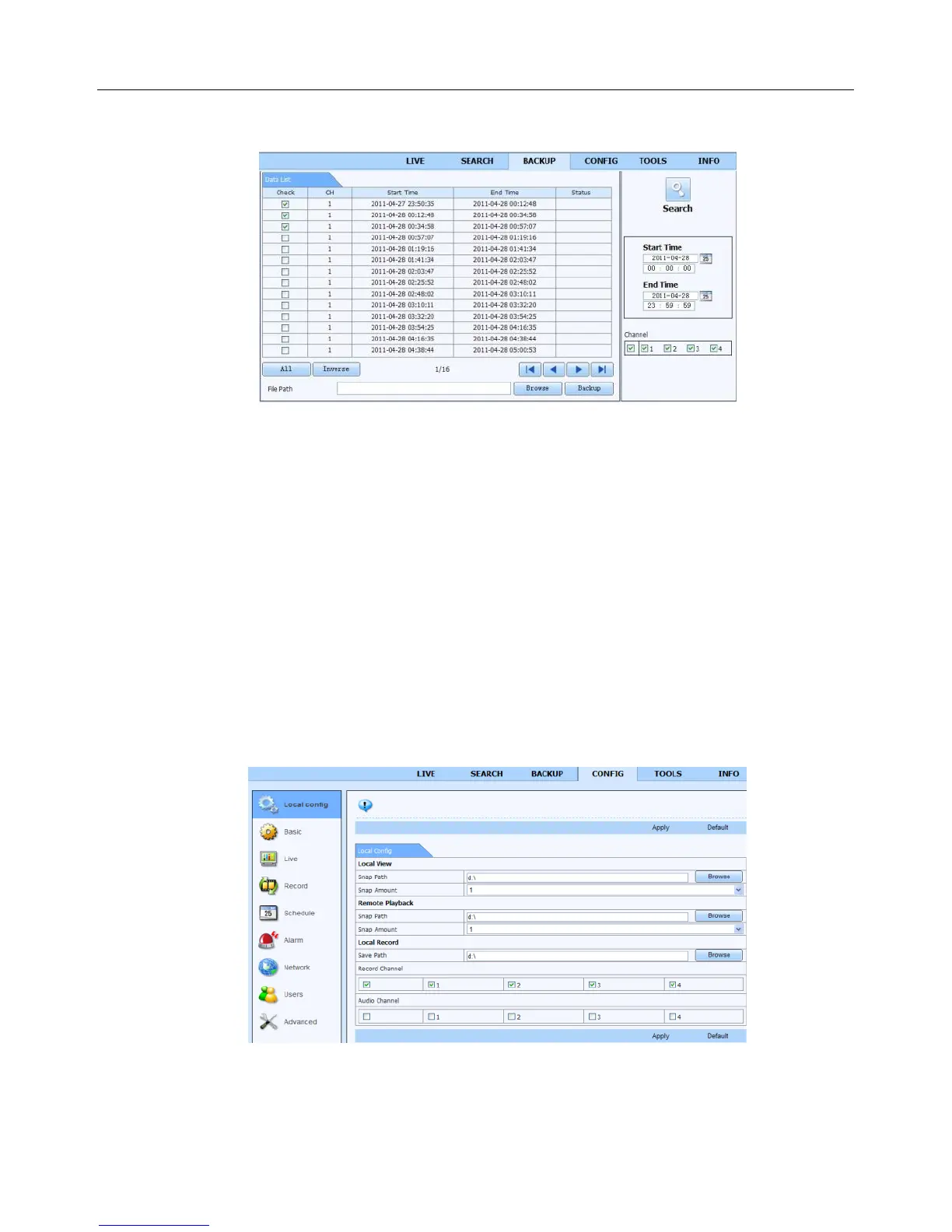
Click Backup button to enter into backup interface. Refer to Fig 8-8:
Fig 8-8 Remote Backup Interface
Step 1: Select channels, set the start and end time and then click “Search” button to display the file
information in the file list box
Step 2: Select backup files and click “Browse” button to set the path. Then click “Backup” button to start
backup. The backup files will be saved on user’s PC.
8.6 Remote System Configuration
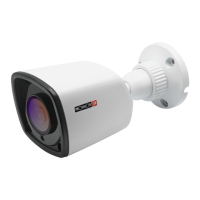
You can do remote setup of the device which includes functions like basic configuration, live configuration,
record configuration, schedule configuration, alarm configuration, network configuration and user
configuration. You should select an option from the menu list on the left and then set up the relative
parameters. Only one user can do configuration setup at a given point of time. Click Config tab to enter
into the below interface as Fig 8-9:
Fig 8-9 Remote System Configuration
The sub menu list and the options in every menu are similar to that of the NVR. Please refer to Main Menu
Setup Guide for more details.


 To Next Page