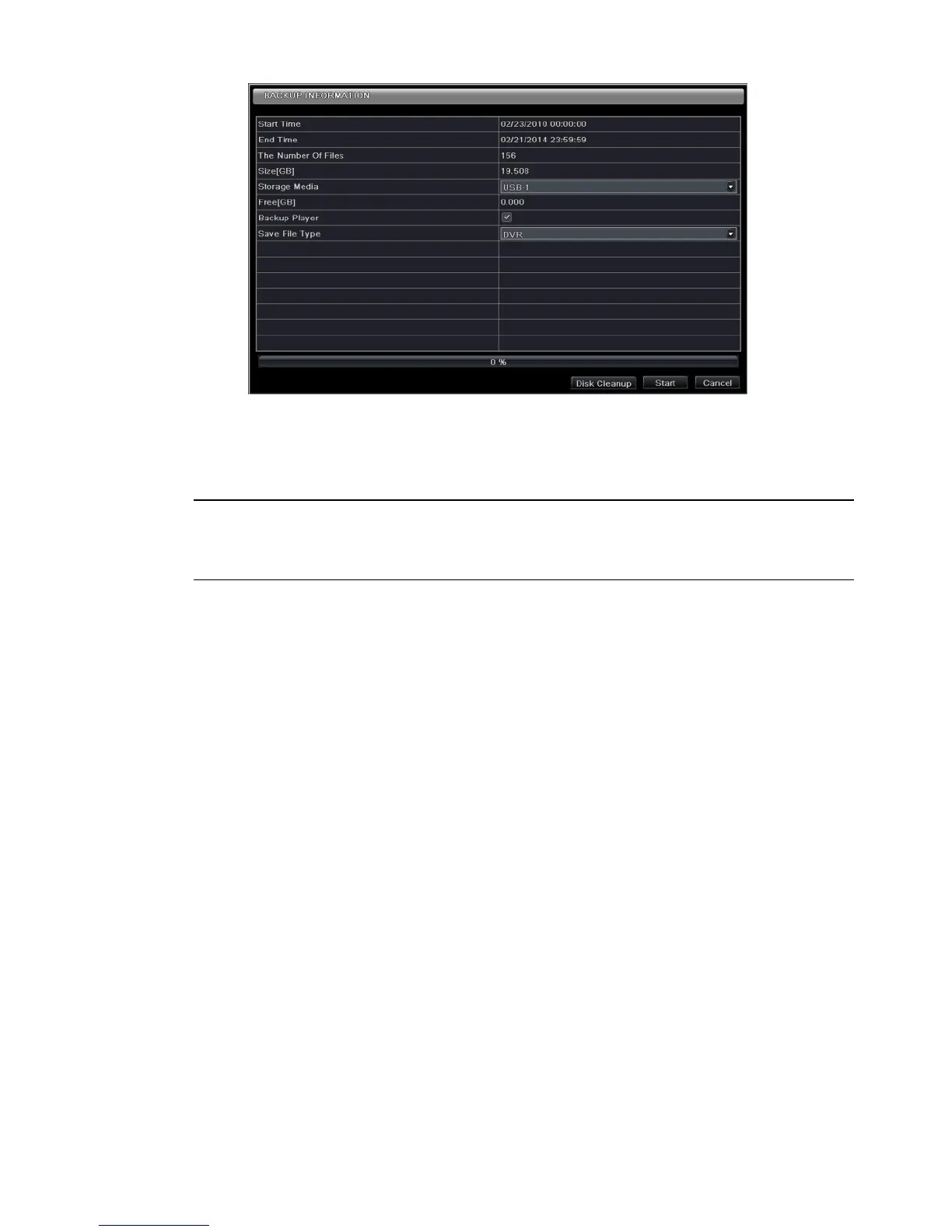
Step 4: In the backup information interface, you can check the relevant information of backup files, storage
type, save file type, etc. Then click Start button to start backup.
Note: If the backup files are saved in DVR format, please check backup player. Only this player can
play these files in DVR format. If the backup files are saved in AVI format, you can play these files
with common media player.


 To Next Page