Server List:
In the main menu interface, click “Server list” to see the above picture on
the left hand.
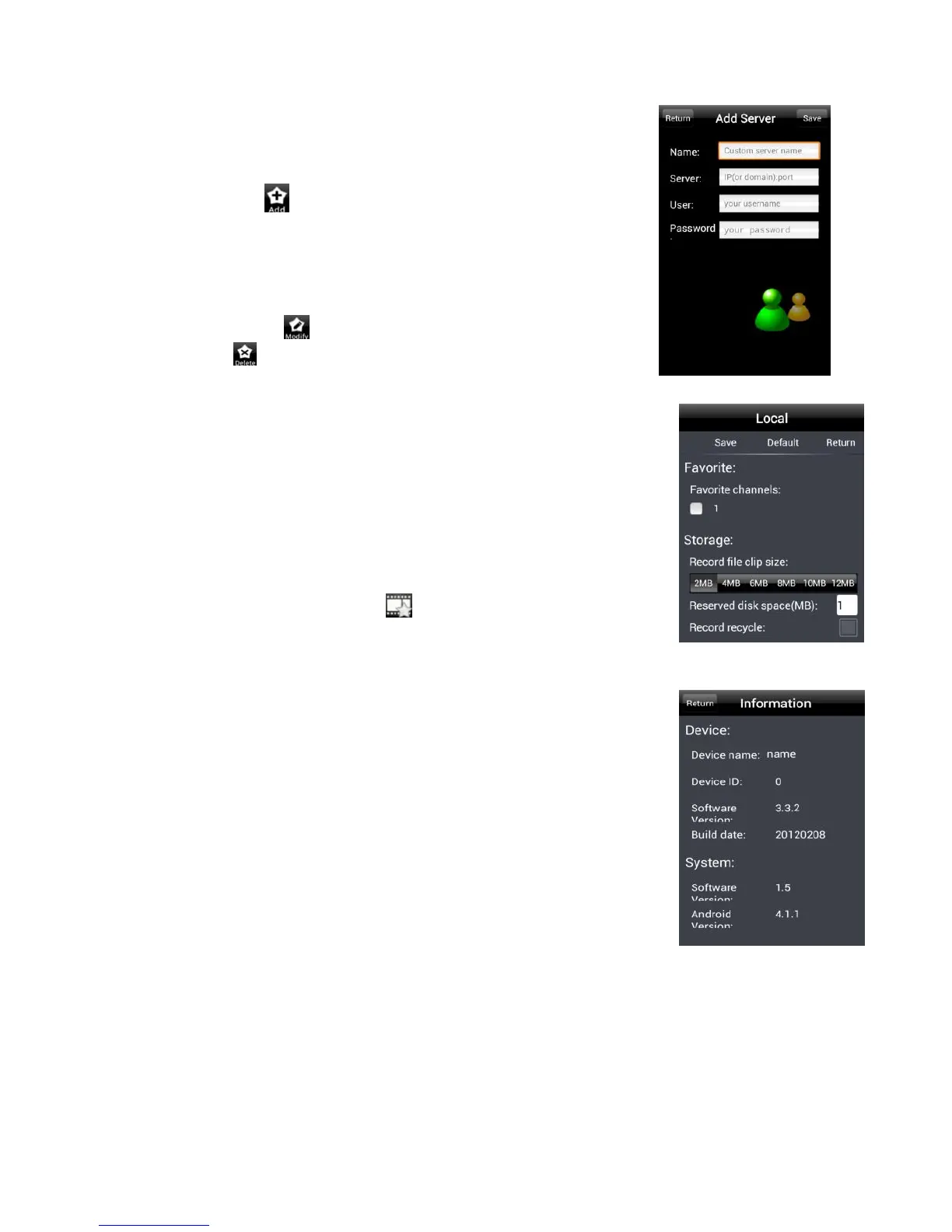
Add Server: Click button to pop up a window as shown in the above
picture on the right hand. Enter the name, server, user and password of
the device you want to add. Then click “Save” button to save the server.
When you log in next time, you can choose and quickly access this server
by clicking the little triangle button in the server column.
Modify Server: Click button to modify the server information. Delete
Server: Click button to delete the server information.
Settings:
In the main menu interface, click “Settings” to enter the settings interface
where you can configure local settings. Click “Local” to enter local settings
interface. In this interface, you can set favorite channel and storage.
Favorite Channel:
Check the favorite channels and click “Save” button to save these channels.
Then go into live interface and click button to play these favorite
channels.
Storage: Setup the relevant parameters of mobile video.
Information View: view the DVR/NVR basic information as shown in the
picture on the right.


 To Next Page