PRO-VISION® Video Systems
17 provisionusa.com
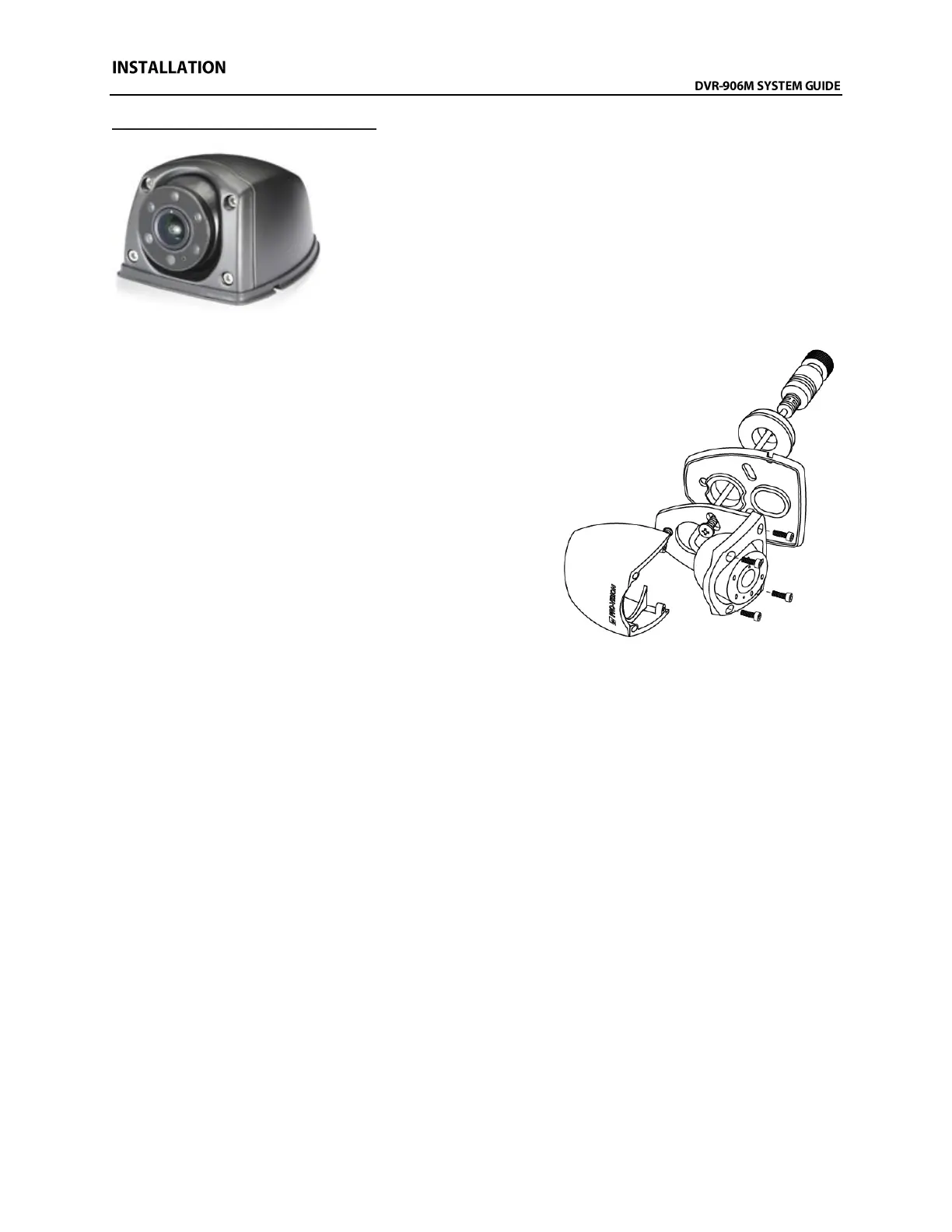
Analog HD Side Camera Installation
The AHD Side Camera (Kit P/N: DVR-920, Camera P/N: PC-1920) is
designed to provide coverage around the outside of the vehicle. The
camera is waterproof rated IP-67 and has a wide-angle lens that can
capture a wide area around the outside of the vehicle. The camera is
designed to be mounted directly to a vehicle exterior body panel. The
camera has six (6) infrared (IR) LED’s that provide illumination during
low light/dark conditions. The camera also has a waterproof microphone
built into the camera housing. The camera lens has a wide 145°
horizontal and 80° vertical coverage.
Mounting Locations:
The camera’s wide field-of-view allow flexible mounting in
either a down facing or rear facing configuration while still
providing very good coverage of the side of the vehicle. For
down facing general recording applications, the camera is
typically mounted directly to the roof or side of vehicle body
near the roof facing outward perpendicular to the direction of
vehicle travel at a downward angle. The camera should be
mounted as close to the outside edge of the roofline as
possible to prevent blind spots directly next to the vehicle.
For rear facing applications utilizing the camera to cover blind
spots in combination with a monitor, the camera should be
mounted as far toward the front of the vehicle as possible.
When mounting to the vehicle, consider spray and debris
from the tires could affect the camera image, so it is
recommended to mount the camera a minimum of 3 feet off the ground to help prevent this. Always
check the mounting structure under the camera for proper access to route the cable.
Installation:
1. Remove the four (4) Allen head cover mounting screws from the camera and then remove the
camera ball and cable.
2. With just the camera base and gasket, hold in desired mounting location and mark the three (3)
camera base mounting screw locations and the center of the cable exit hole in the base.
3. It is recommended to power on the DVR unit, temporarily connect the camera to it, set the
camera in the mounting base (with gasket attached), and observe that the view in the desired
mounting location is satisfactory before permanently attaching the camera and routing the
cable(s).
4. Before drilling holes, ensure there is adequate clearance for mounting screws and cable routing
clearance.
5. If you are certain of the cameras mounting location, drill the center cable hole with a 3/4” or 7/8”
drill bit, and it is also recommended to predrill the three (3) mounting screw holes with an 1/8” drill
bit.
6. Route the camera cable through the base and gasket, and then through the cable hole in the
mounting surface.
7. Use the mounting hardware provided to attach the camera base to the mounting location.



 To Next Page