PRO-VISION® Video Systems
39 provisionusa.com
Digital HD Mini-Dome Camera Installation
The HD Mini-Dome Camera (Kit P/N: DVR-821, Camera P/N: PC-1821) is
designed to be mounted inside a vehicle. The camera is used most often inside
the passenger seating areas inside buses and trains, but it also works well in the
cargo area of box trucks and vans. It has a built-in microphone for audio recording
as well as built-in night vision LED’s with an automatic sensor for capturing video
in low-light conditions. Its small form factor and high adjustability allow this camera
to be mounted in a multitude of interior locations. This camera is not waterproof
and cannot be mounted outside a vehicle.
Mounting Location:
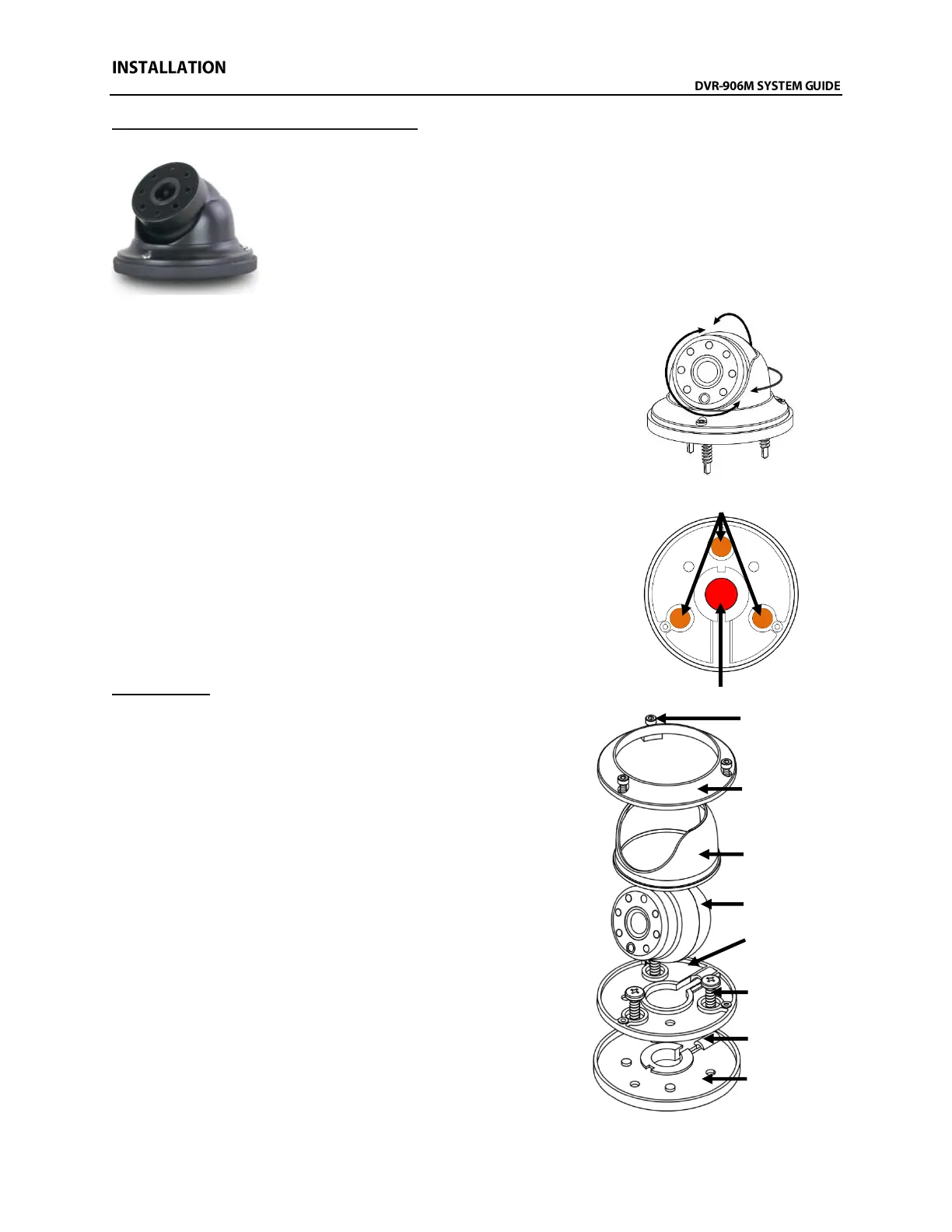
The ball and socket dome design allows 360° rotation around the base,
180° adjustment perpendicular to the base, and 360° rotation to level the
image. The camera typically is installed with the cable going through a
panel directly underneath the mounting location to hide the cable, but it
can also be installed where the cable exits the side of the base if there is
no room to route the cable behind the camera’s mounting location.
Installation:
10. Disassemble the camera by removing and setting aside the three
(3) hex head screws located on the locking ring. Lift up on the
locking ring and camera housing to remove them from the
camera assembly. Remove the camera ball and pull the cable
through the mounting base and rubber mounting gasket.
11. Find the desired camera mounting location and hold the
mounting base and rubber gasket up in position.
IMPORTANT! The notch and cable groove in the camera base should
face away from the intended mounting direction of
camera ball.
12. Mark the three (3) mounting holes using a marker (Shown
in ORANGE above right).
13. If the cable is going to be routed through the center cable
hole and into a panel, mark the center cable hole as well
(shown in RED above right).
14. If applicable, drill out the marked center hole to 1/2” using
a drill bit or step drill bit. Clean up any sharp edges to
prevent damage to the cable.
15. If the camera cable will exit through the cable grove in the
mounting base and not directly into a panel, the cable
must be routed through the cable grove before mounting
the base to the panel.
16. Align the camera base over the marked screw holes and
then using a cordless drill with Phillips bit, install the three
(3) self-tapping mounting screws.



 To Next Page