Version 1.0 Version 1.0
Troubleshooting
44
44
Pairing transmitter and receiver
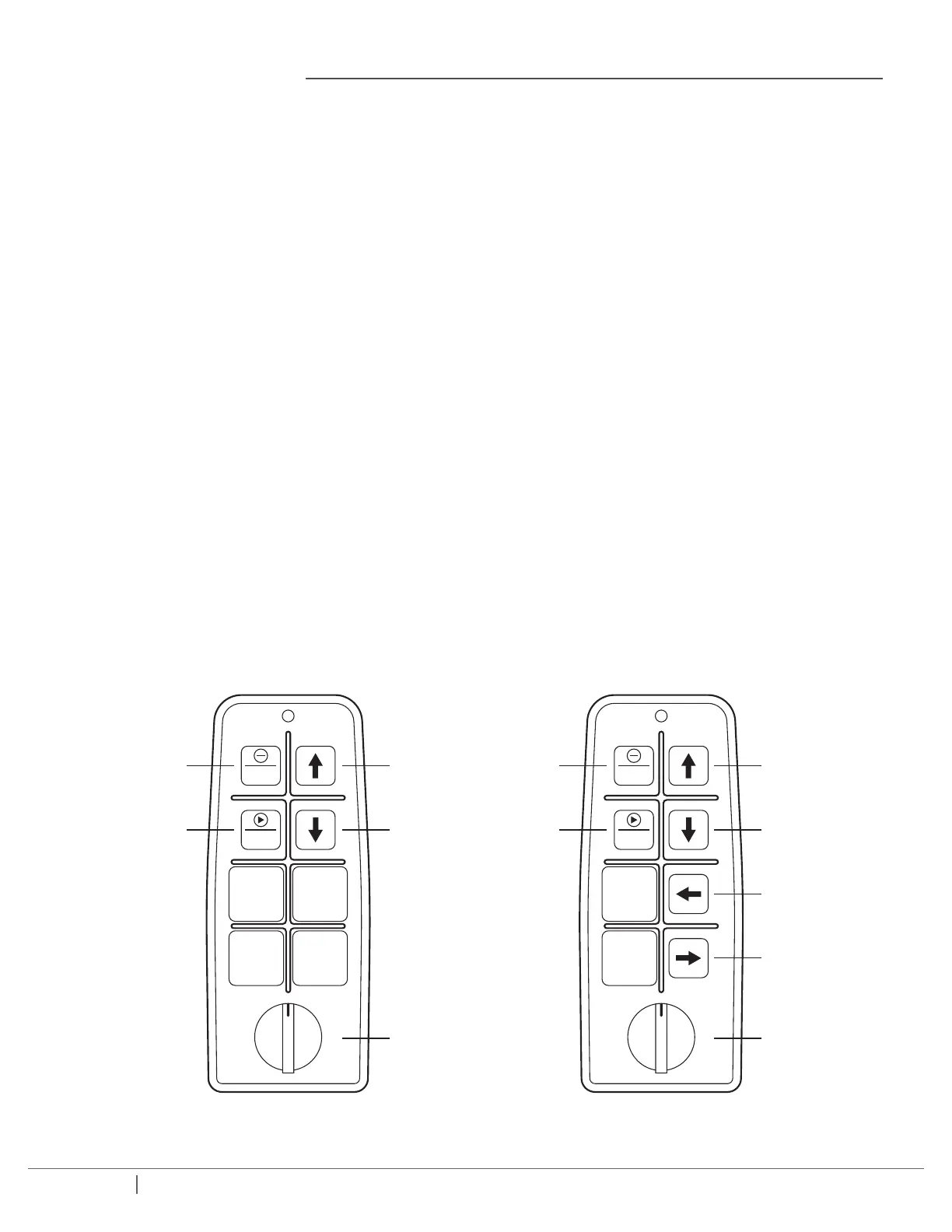
Follow these instructions to pair the transmitter:
1. Disconnect the power supply from the unit.
2. Remove one battery from the transmitter.
3. While pressing the “up” and “stop” buttons replace the battery until the red LED on the transmitter ashes rapidly.
4. Re-connect the receiver to the power supply. The red LED on the transmitter will begin to ash slower. Press the “down“ key
on the transmitter. At this point, the transmitter and receiver are paired.
If you need to change the code and channel on the transmitter, complete one of the following:
TO COPY TRANSMITTER CODE AND CHANNEL TO THE RECEIVER
Press “UP” key to complete this operation.
TO COPY RECEIVER CODE AND CHANNEL TO THE TRANSMITTER
Press “DOWN” key to complete this operation.
If the process has been successful, the green LED on the transmitter will ash once.
STOP
START
UP
DOWN
SAFETY
KEY
STOP
START
STOP
START
UP
DOWN
LEFT
RIGHT
SAFETY
KEY
STOP
START


 To Next Page