DRS4 Evaluation Board User’s Manual
Page 12 of 43
2.2. Windows 7
The installation under Windows 7 (32 and 64 bit) is basically the same than for Windows XP.
You need the DRS software version 3.0.1 or later if you are using a 64-bit system, since
version 3.0.0 and prior does not contain the 64-bit version of the libusb library. When you
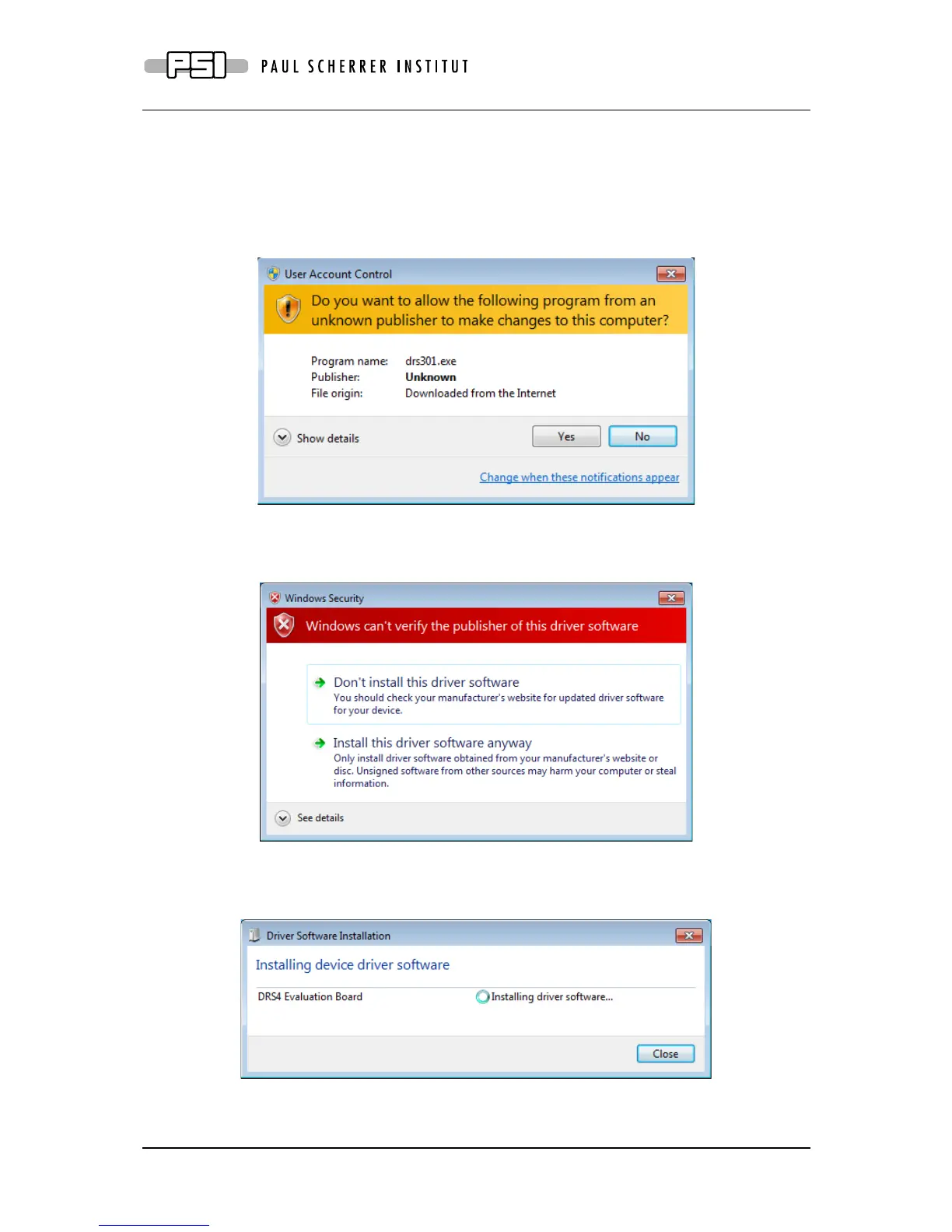
start the software installation, you get an additional screen which you have to confirm:
Make sure that you are logged in as an administrator to install the software. During the
installation process, you will see a notice about some unverified driver software. Please select
“Install this driver software anyway” to install the driver.
After the software has been installed, you can connect the DRS4 Evaluation Board to the
computer. The driver installation should then start automatically and you will see this
notification:
When this has finished, you can start the “drscl” and “drsosc” programs.



 To Next Page